Ultimate Free AIOStreams Setup
Welcome! This guide will help you configure an AIOStreams instance with an optimal mix of the best free P2P (torrent) and HTTP (web) add-ons. No Debrid service is required.
1. Who is this guide for?
- People living in countries where P2P and HTTP streaming are allowed, or who understand how to stream safely (e.g. using a VPN).
- People who do not want or need to pay for premium debrid services.
- Users who feel their current setup returns too few results, or ignores certain add-ons, and want more options to choose the best stream themselves.
2. Add-on Setup
Note: All instructions below are accompanied by relevant images. You can click any image or carousel item to view it in full screen!
Let's start by initializing the AIOStreams instance. Follow the steps below to start the configuration.
-
Pick any public AIOStreams instance per
this guide .
Note: 'Nightly' instances have all the latest features, but may offer a slightly less stable experience.
In this guide, we use the Nightly Midnight instance.Warning: Do not use the 'ElfHosted' instance, as it does not support P2P and HTTP scraping.
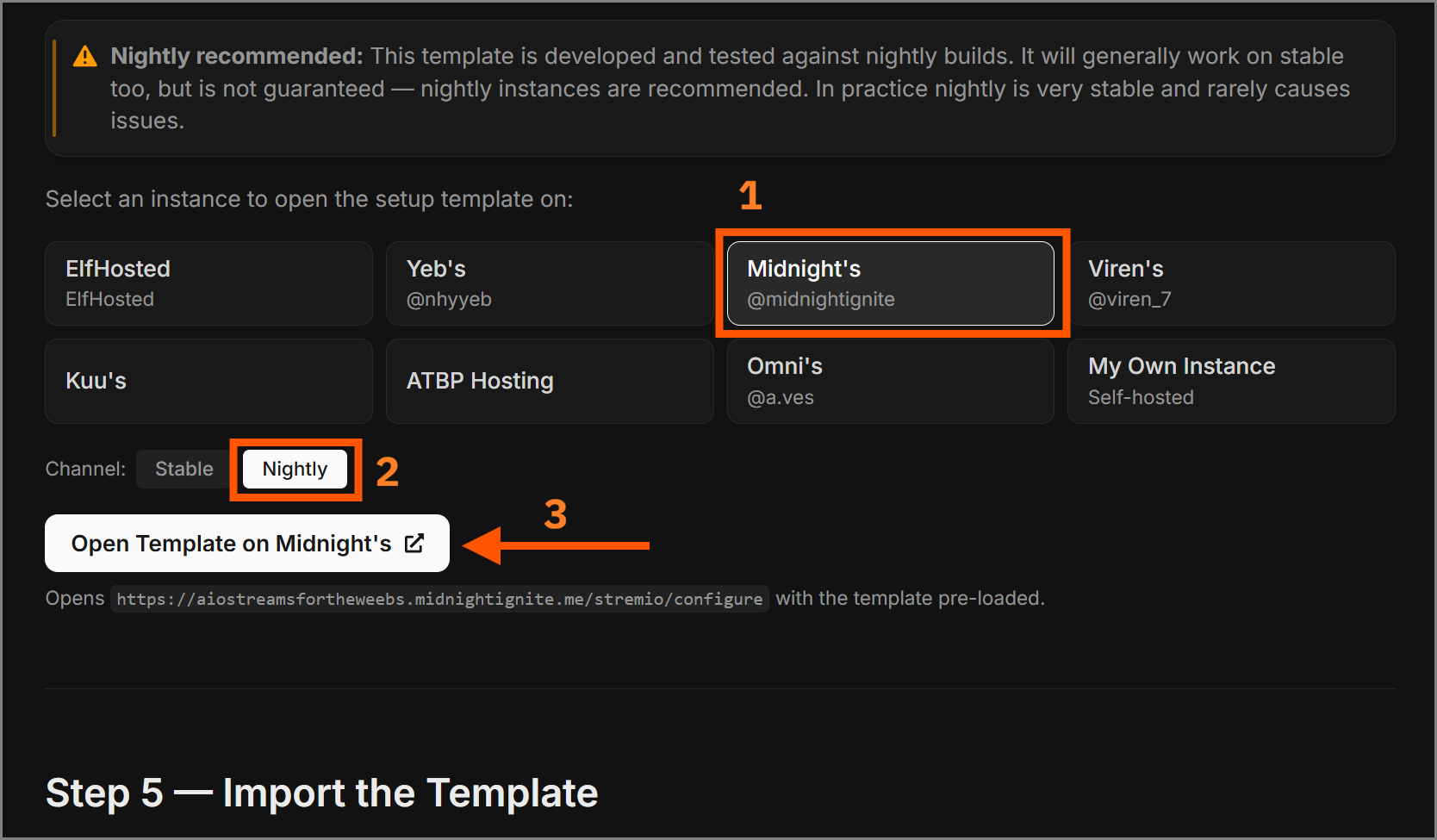
-
After opening the link, close all pop-ups (we don't want to use
a predefined template). Make sure to toggle the
'Advanced' option to unlock more configuration
settings.
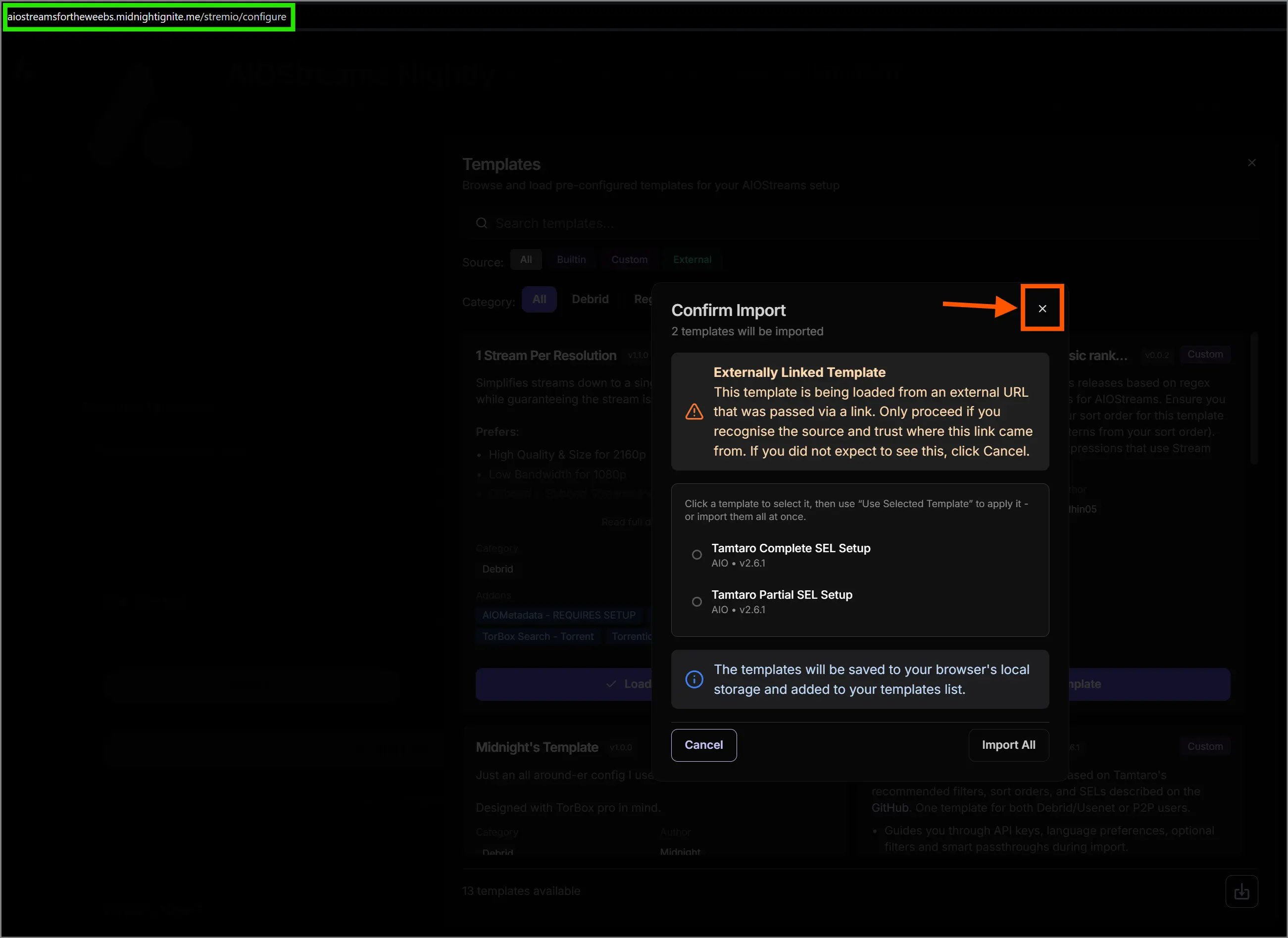 Step 1: Close pop-ups
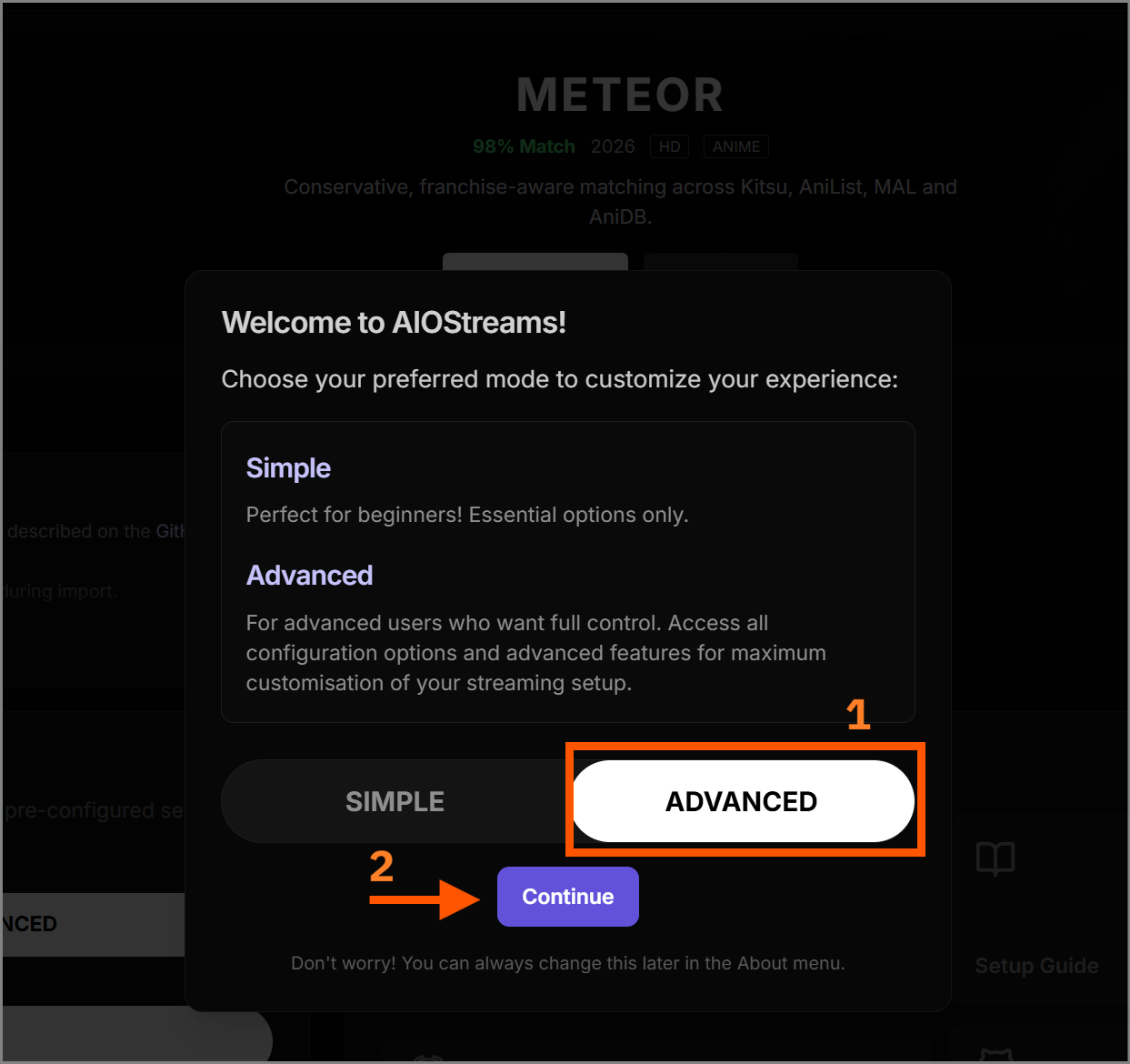 Step 2: Toggle 'Advanced' option
 -
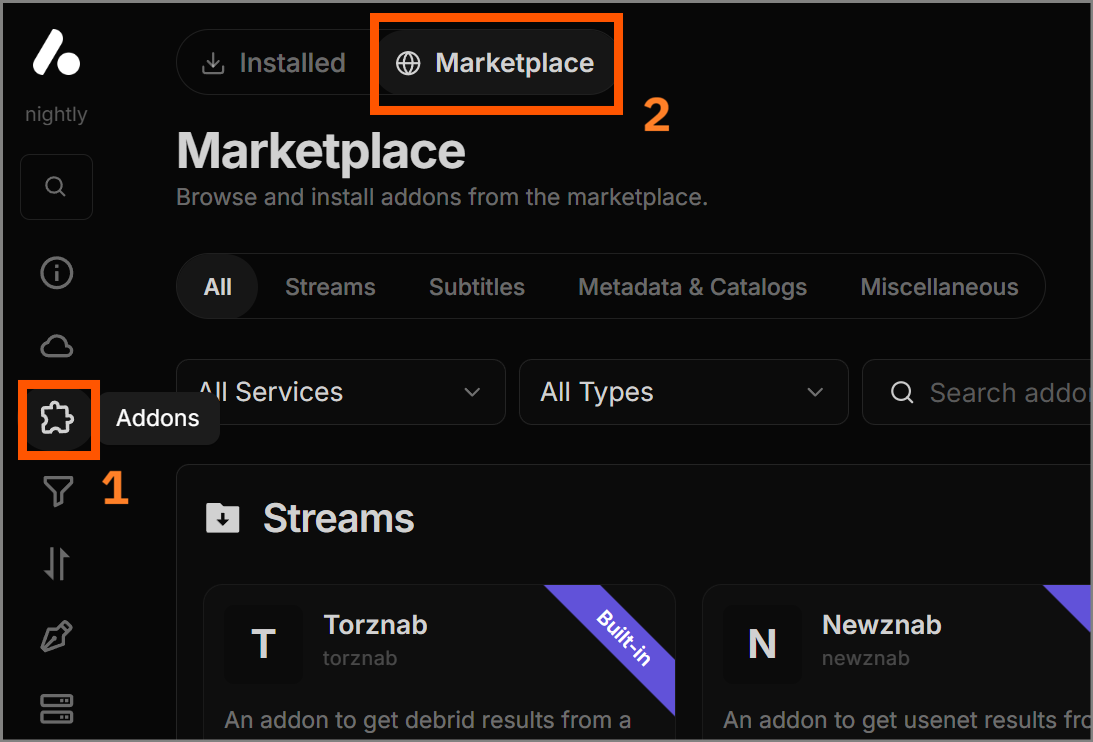
Navigate to the 'Addons' tab.
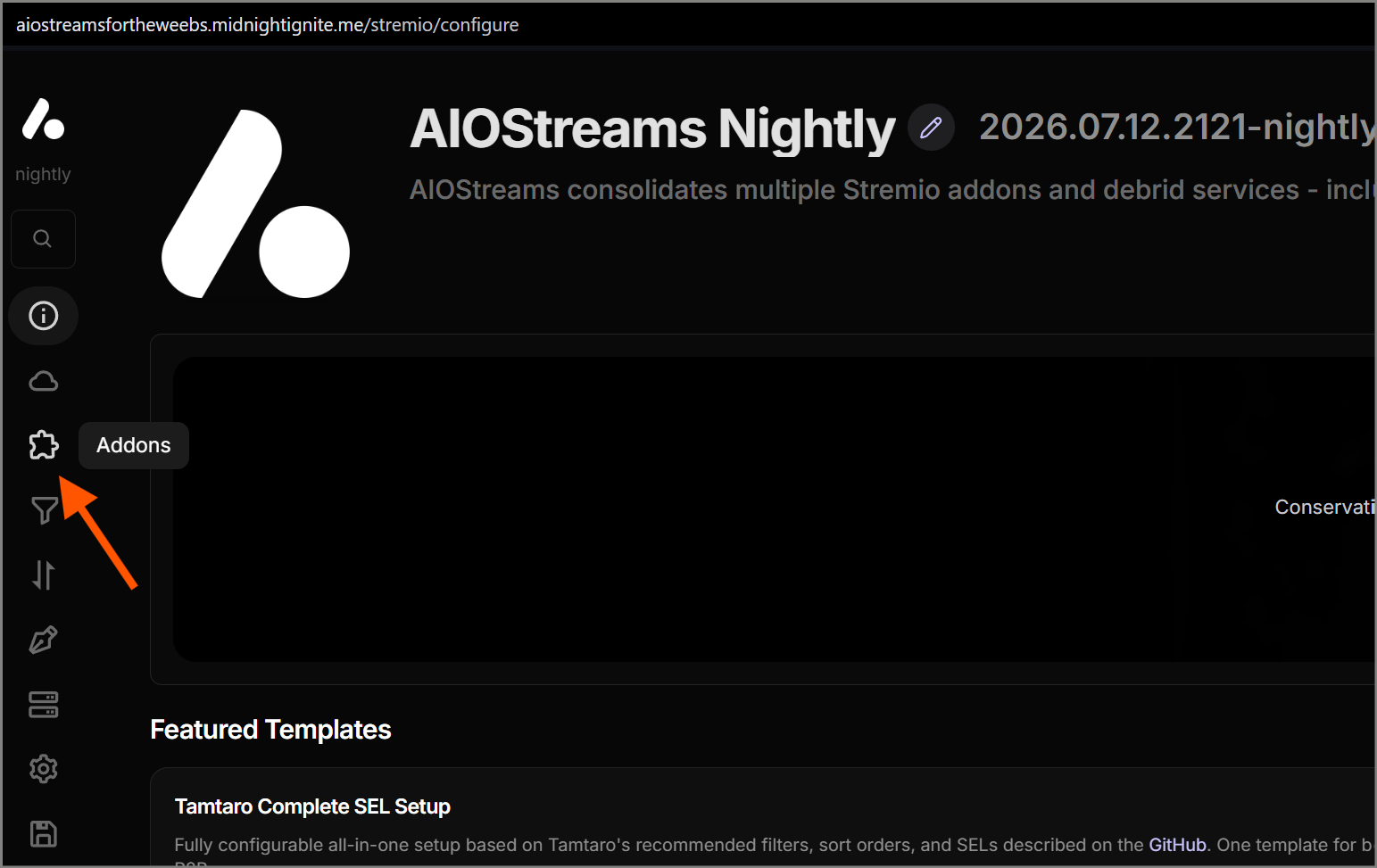
Installing from the Marketplace
Select the Marketplace.
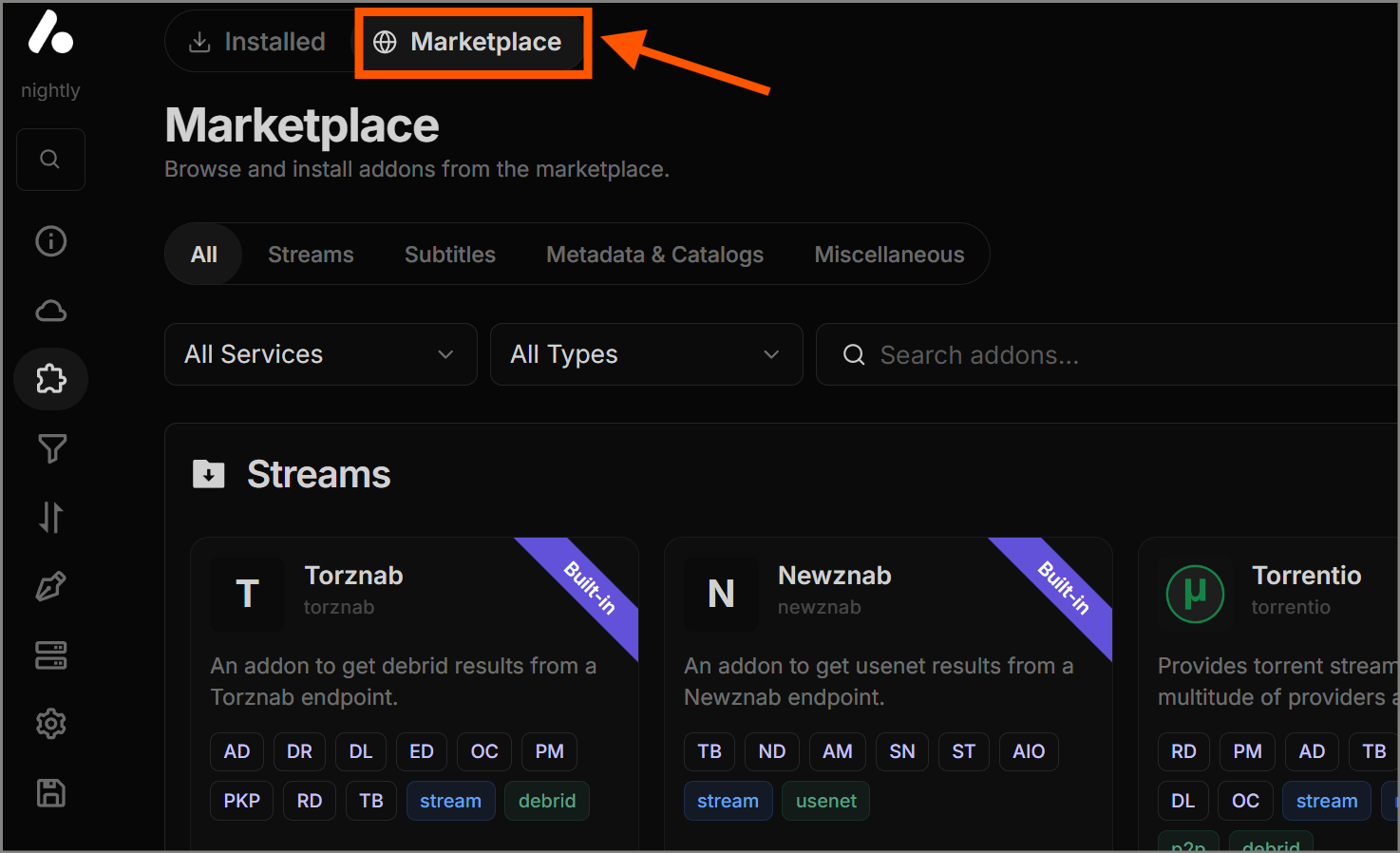
Using the search option, find, configure, and install the following add-ons in the exact order they are listed below:
-
P2P (torrents):
Torrentio,StremThru Torz,Meteor,Comet,MediaFusion,TorrentsDB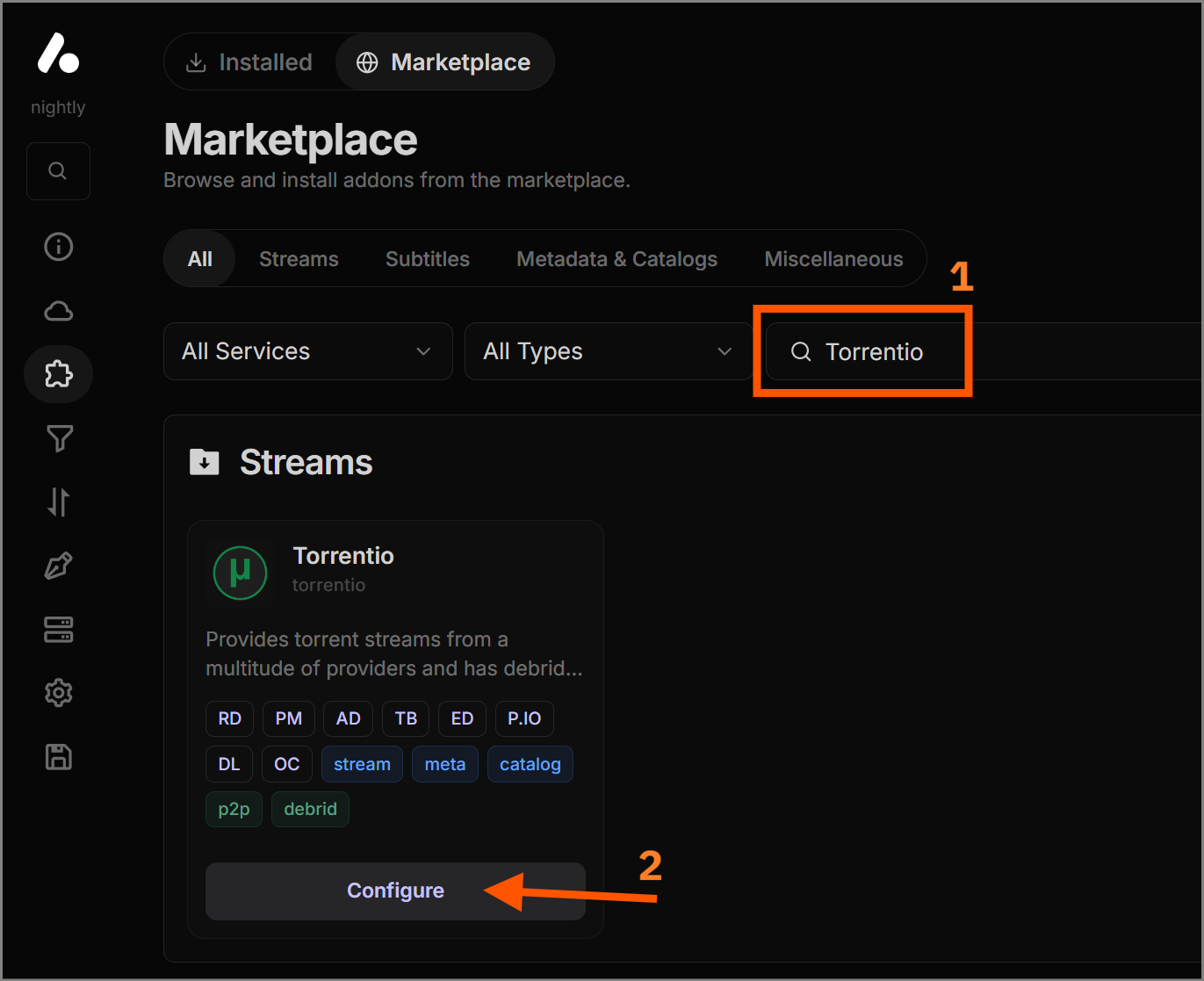 Step 1: Find the add-on and select 'Configure'
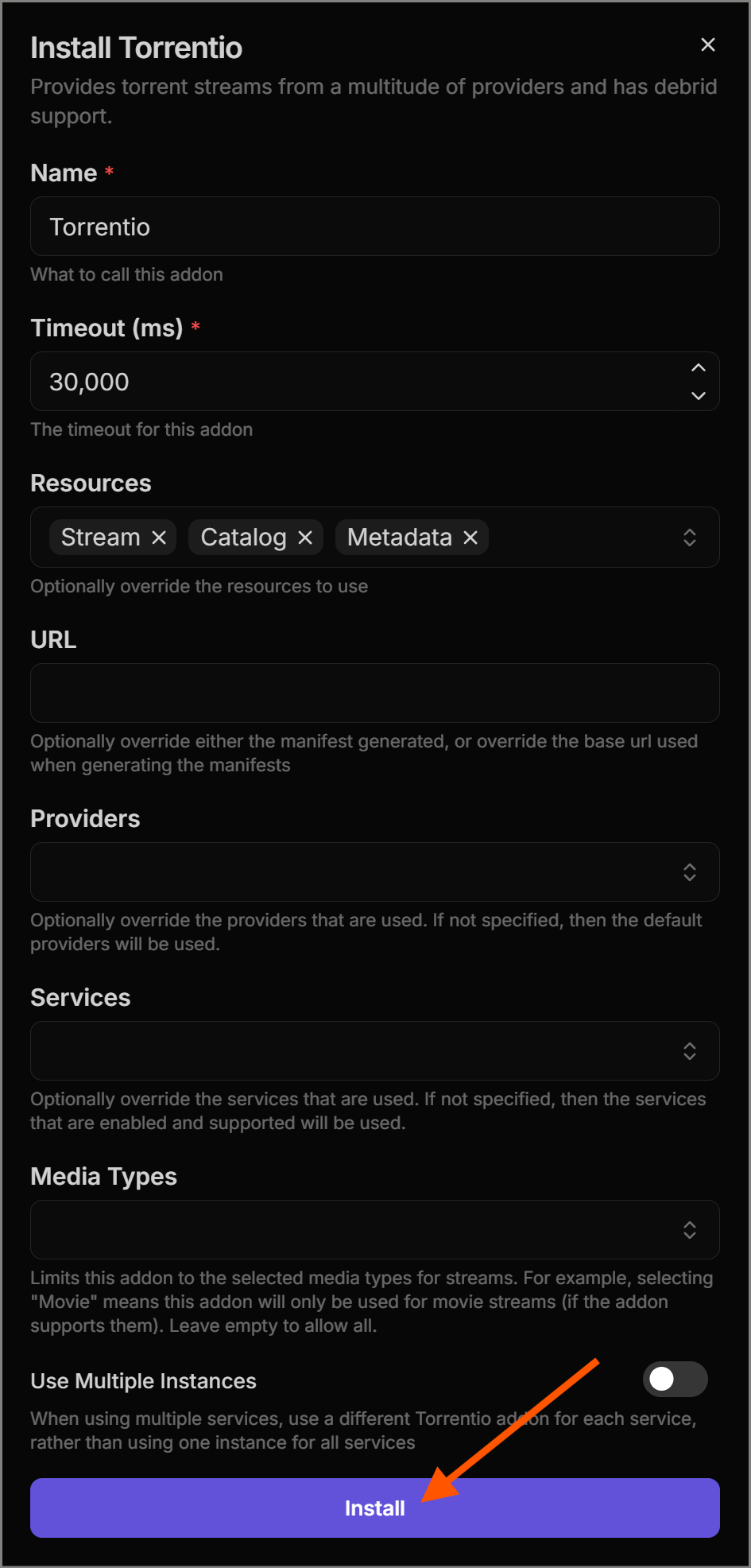 Step 2: Install Torrentio
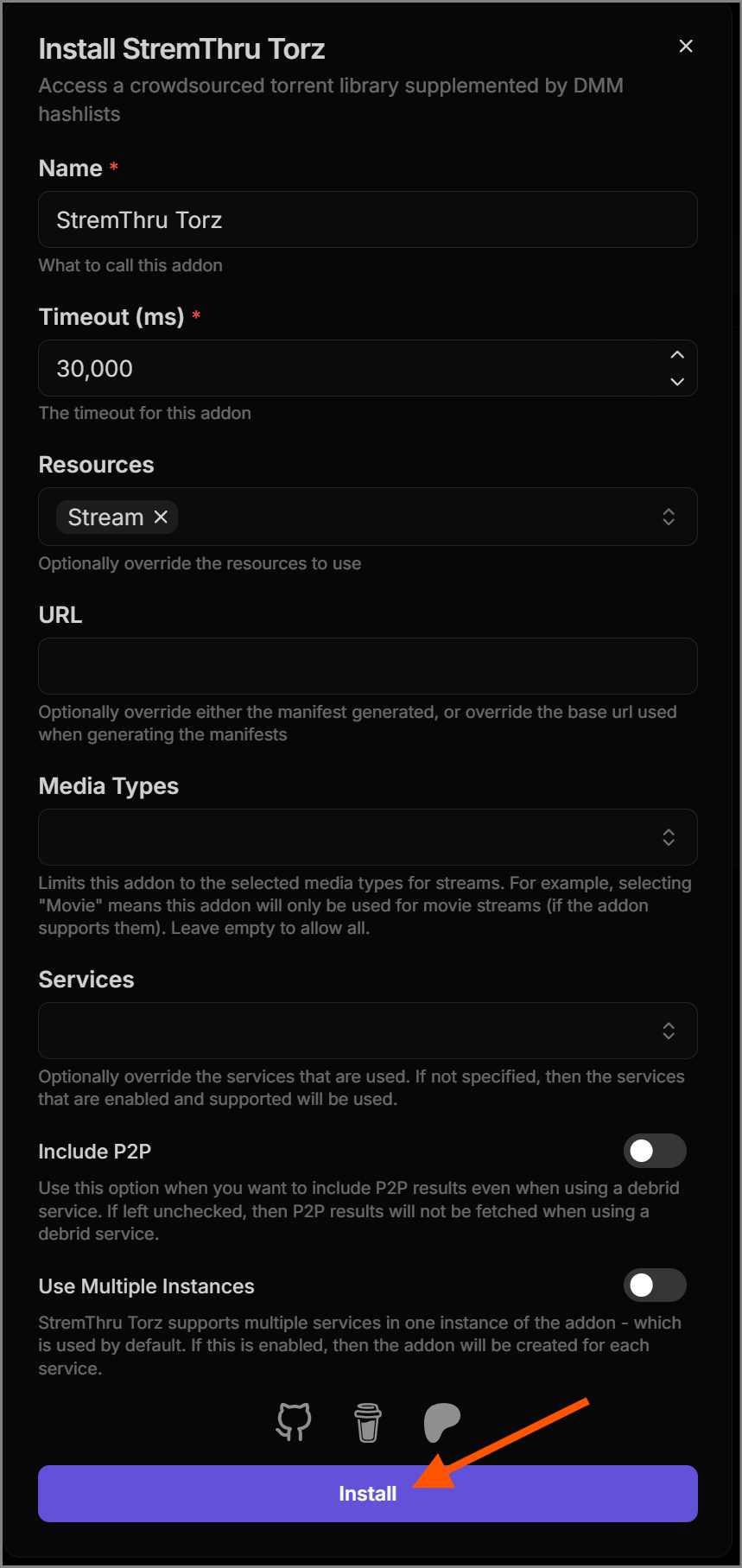 Step 3: Install StremThru Torz
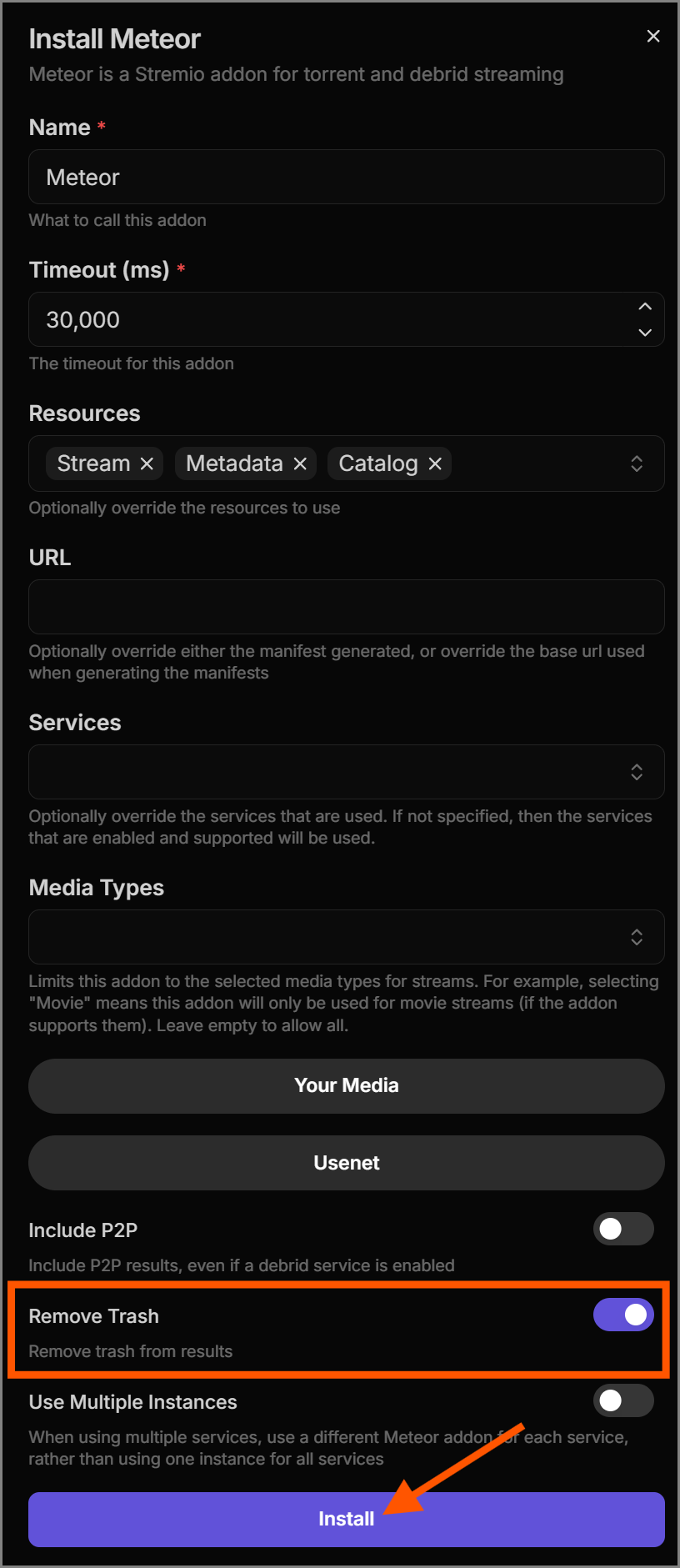 Step 4: Install Meteor
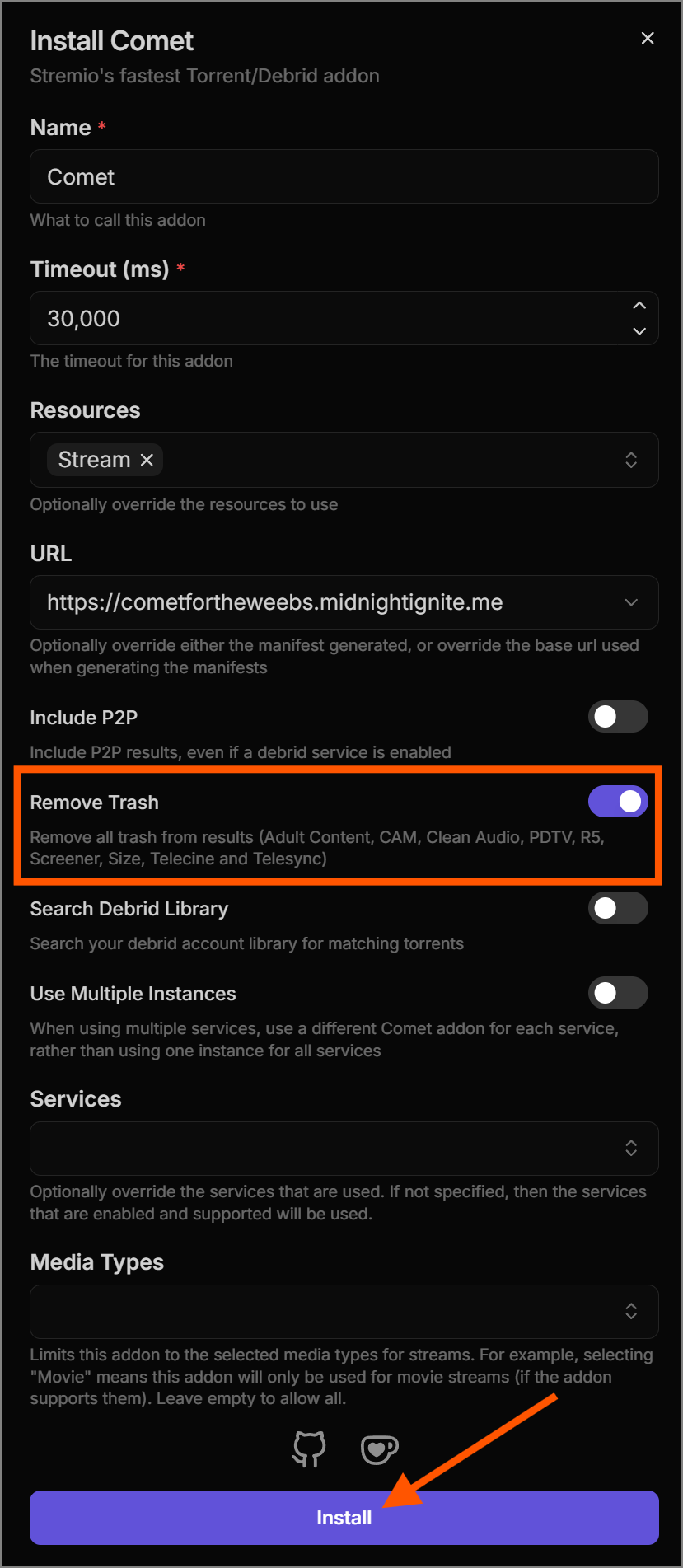 Step 5: Install Comet
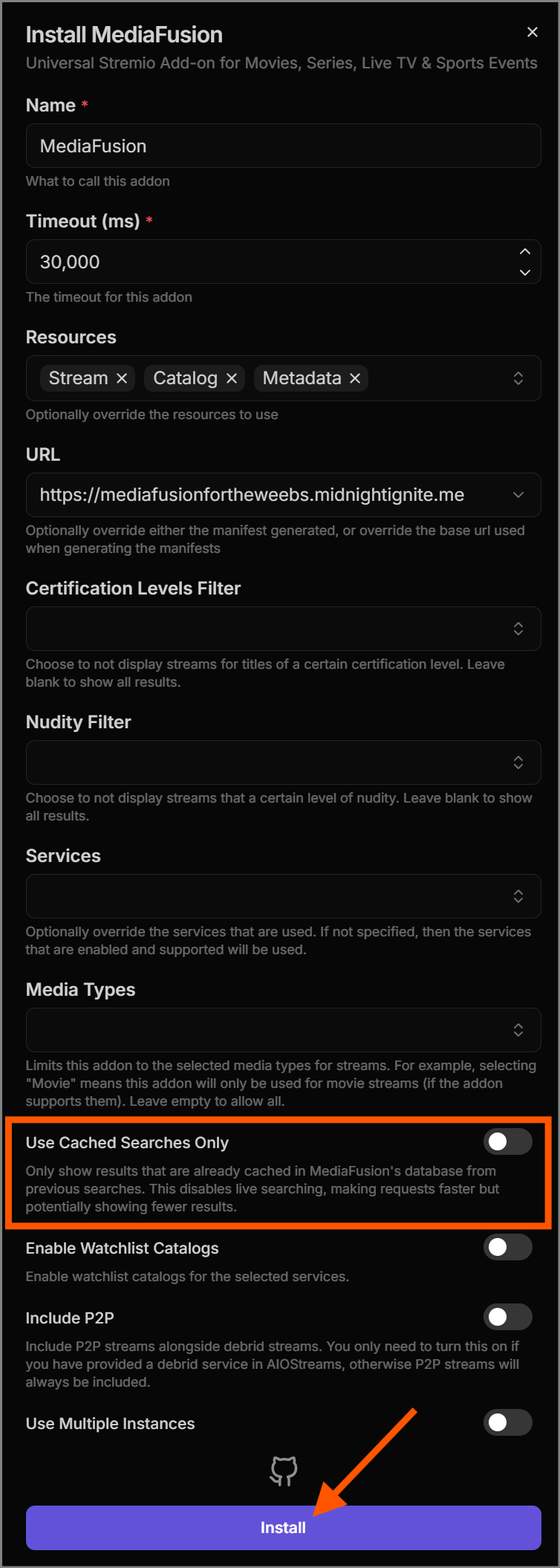 Step 6: Install MediaFusion
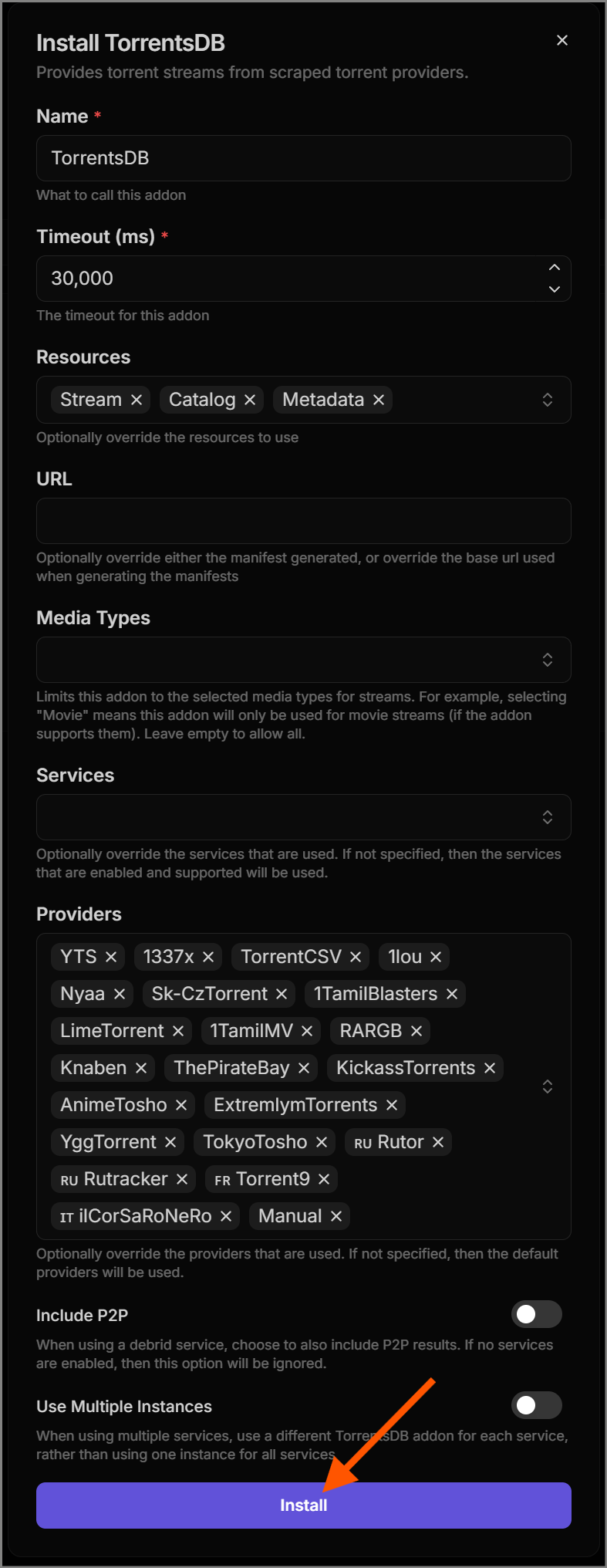 Step 7: Install TorrentsDB
 -
HTTP (direct web):
Sootio,Peerflix,Flix-Streams,HDHub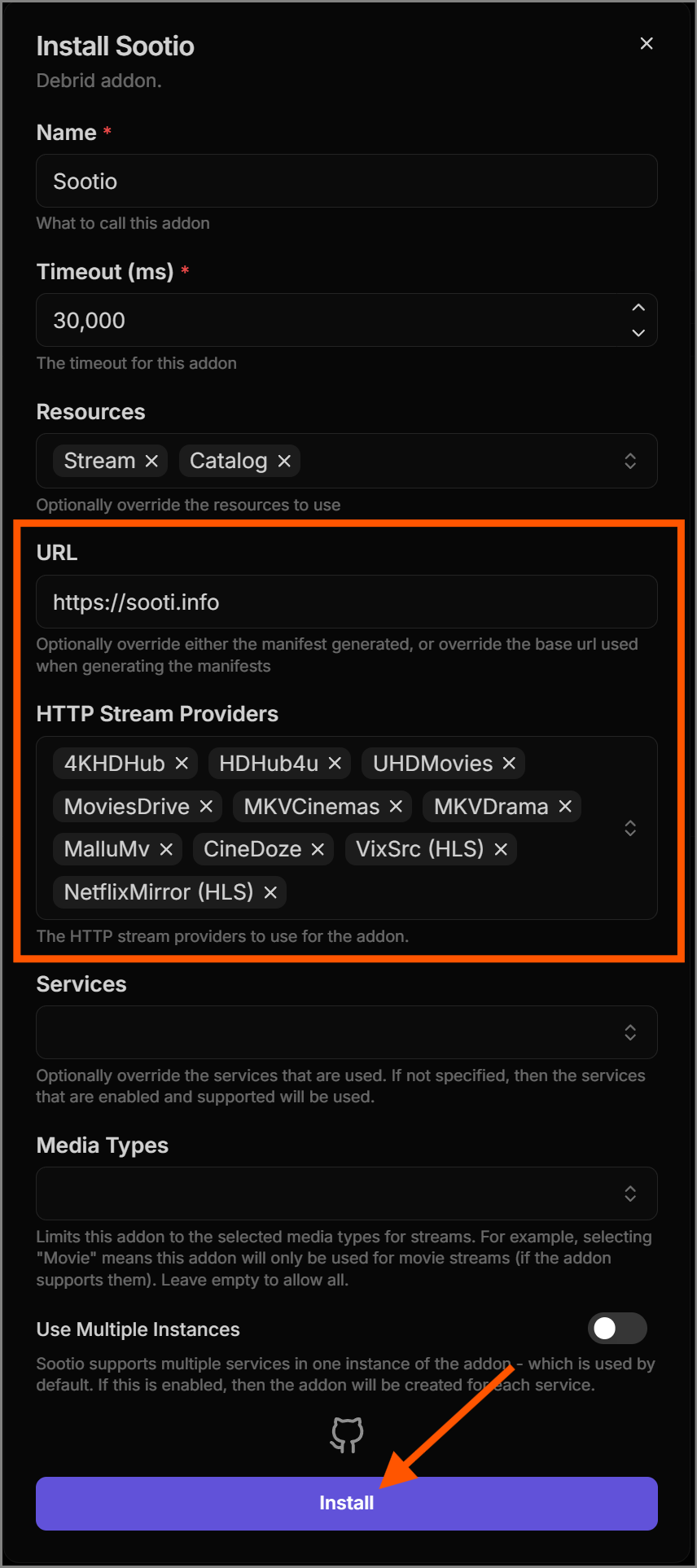 Step 1: Install Sootio
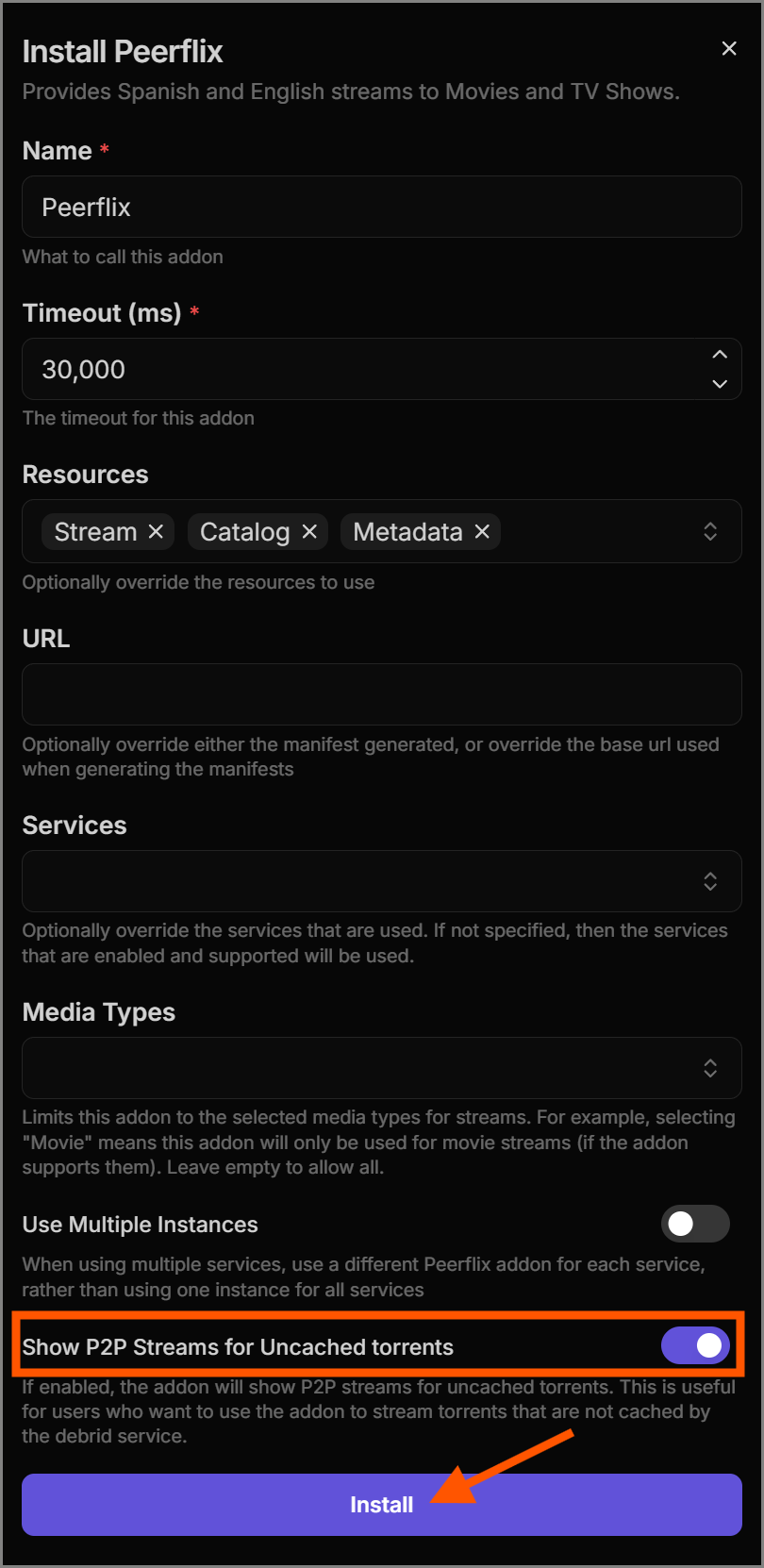 Step 2: Install Peerflix
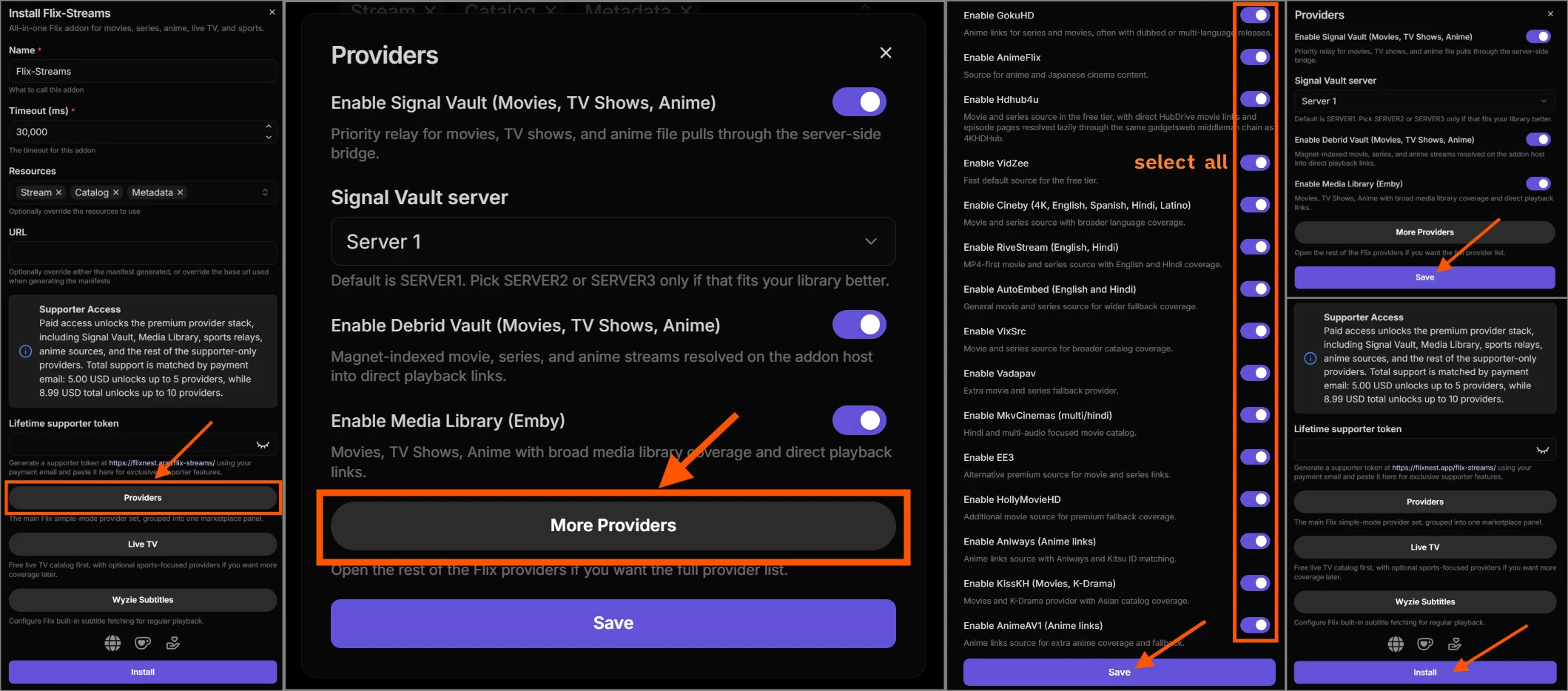 Step 3: Install Flix-Streams
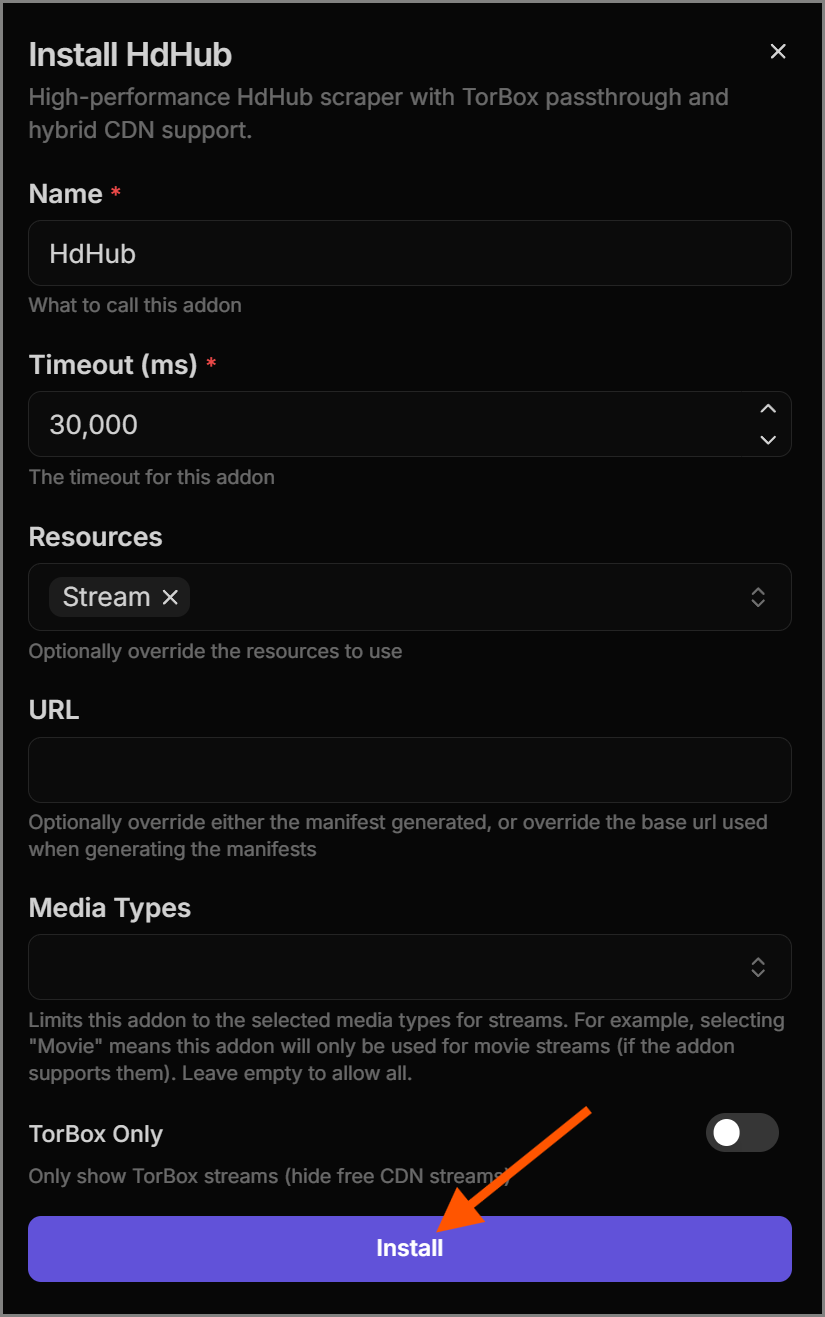 Step 4: Install HDHub
Manual Manifest Add-ons (Optional)
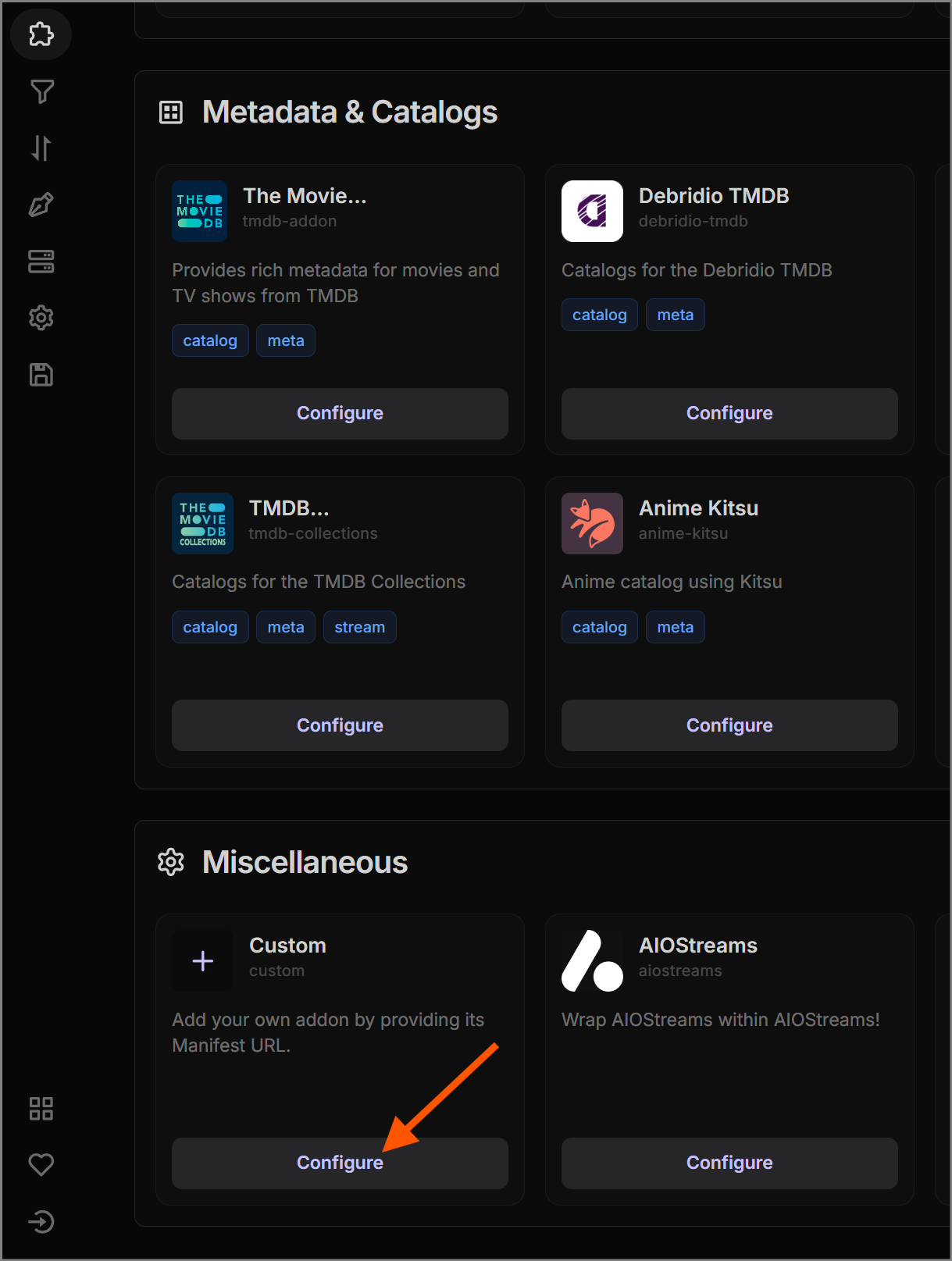
In addition to the marketplace, you can manually add external add-ons from the bottom of the page.
Note: This is an optional step for those who want access to additional streams. While you likely won't need them for 99% of mainstream titles, they serve as excellent fallback sources.
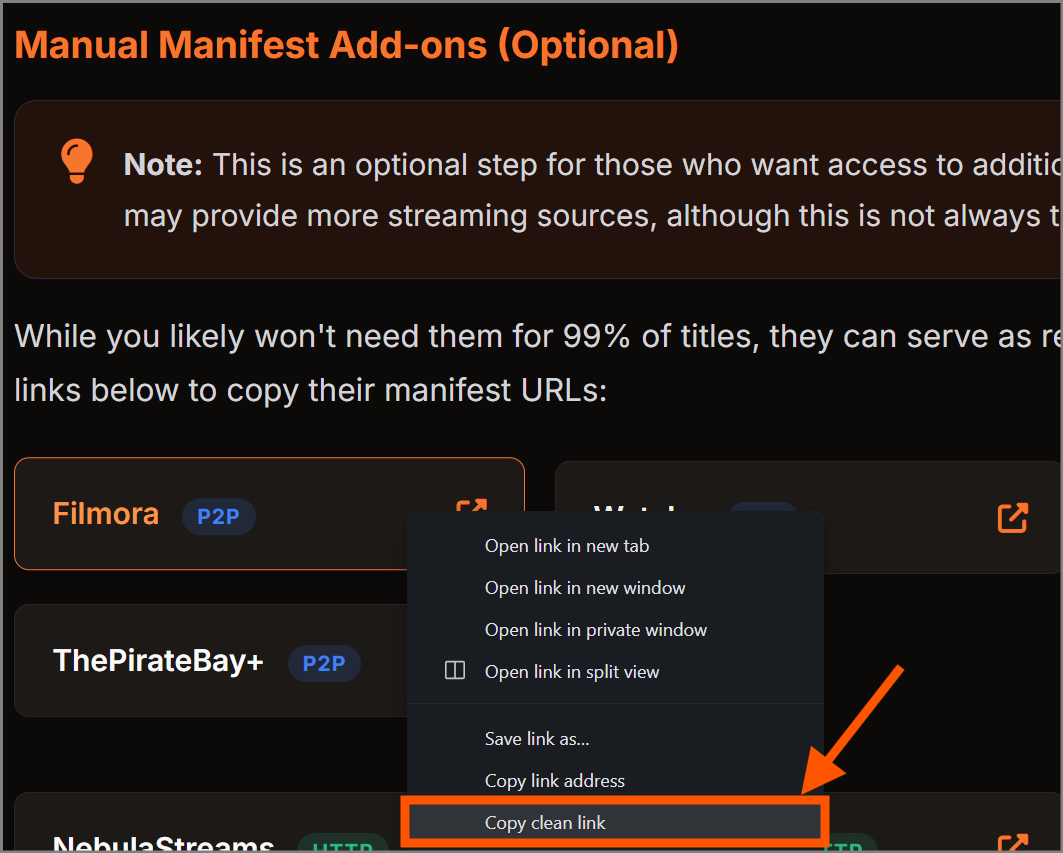
Click the links below to copy their manifest URLs:
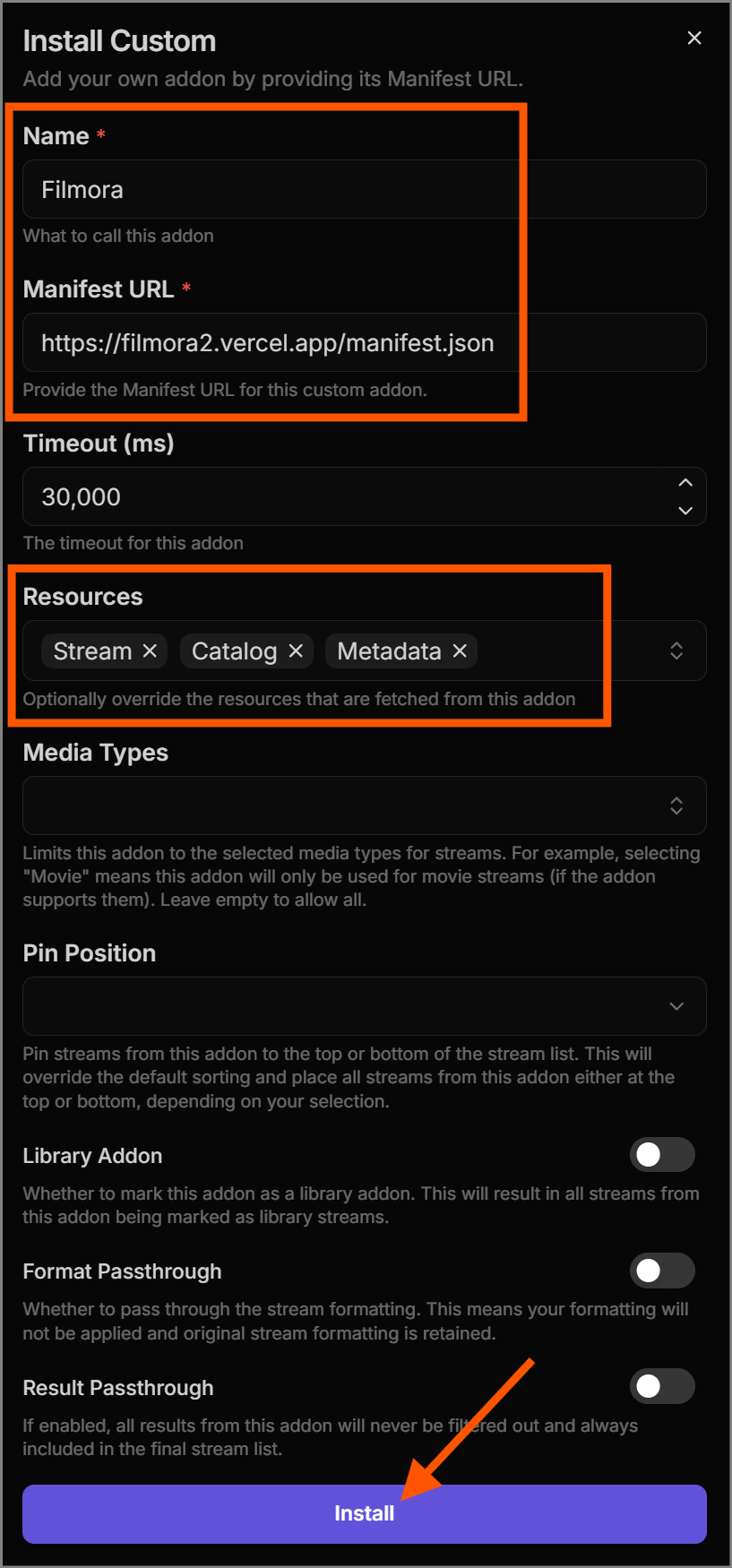
Below is a step-by-step process of adding one external add-on from the list above. For all custom add-ons, the process is identical.
Add-on Timeout, Priorities & Grouping
Since we've configured multiple add-ons, some of them may take a
long time to respond if they are unreachable or experiencing
issues. To avoid unnecessary delays, configure a global timeout.
Set the timeout to a value you're comfortable waiting for (e.g.
15000 for 15 seconds).
Warning: If you find yourself waiting too long for add-ons, reduce the timeout value accordingly.
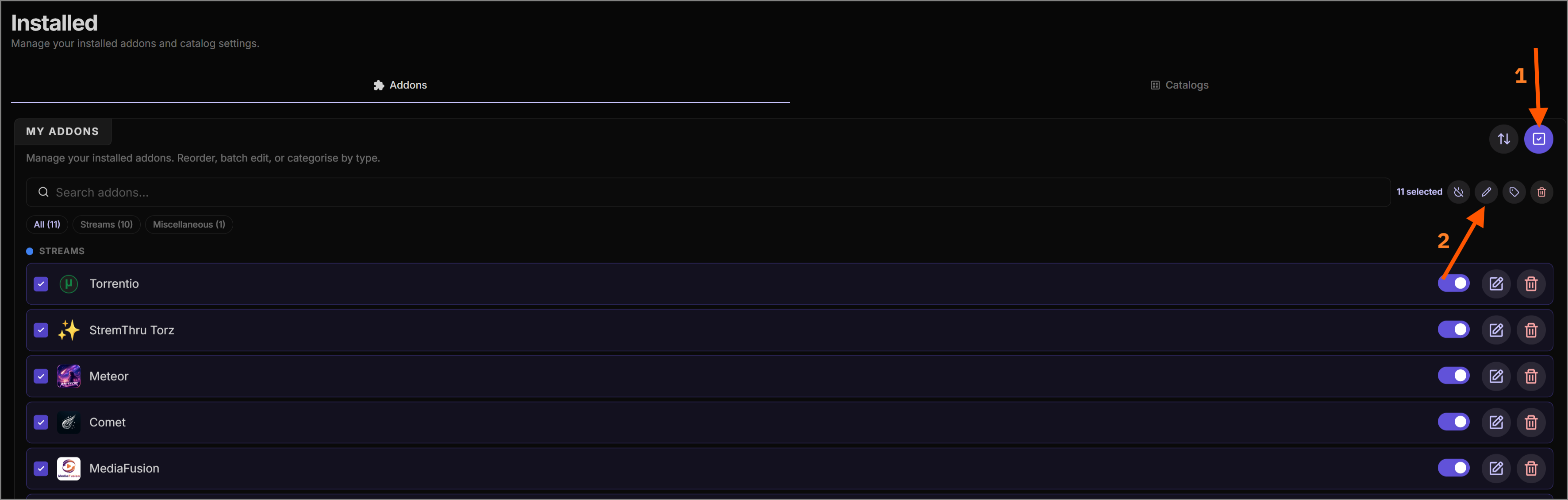
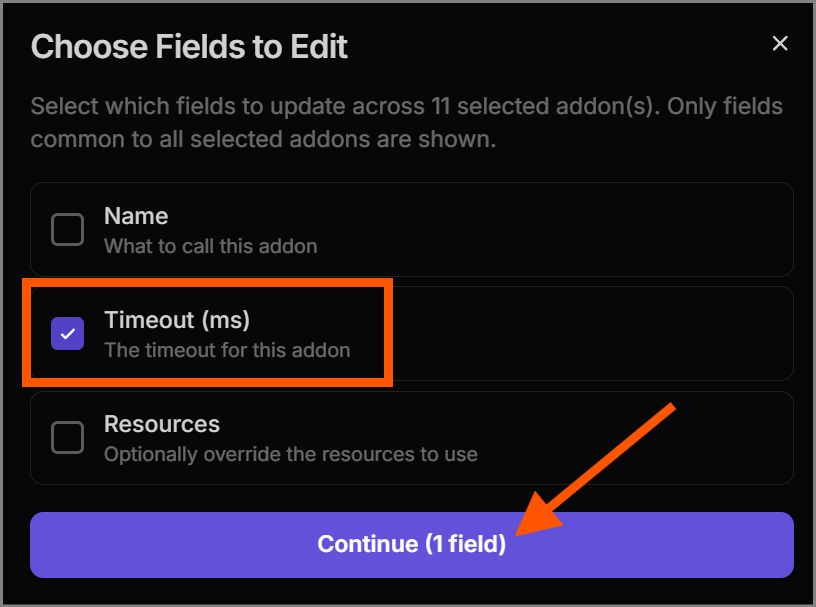
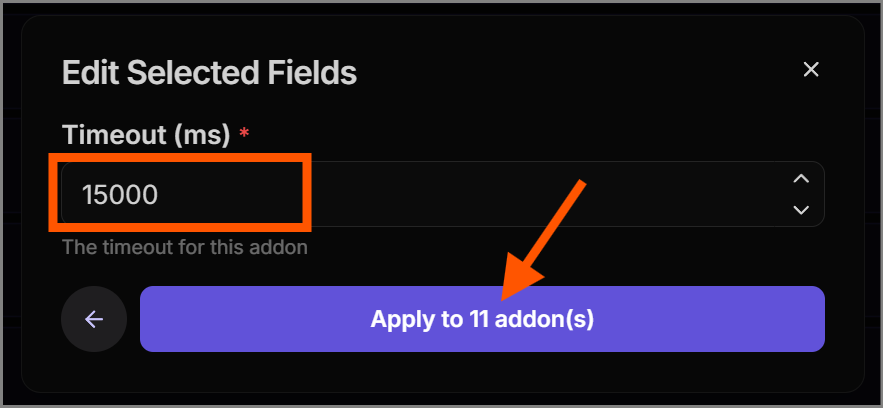
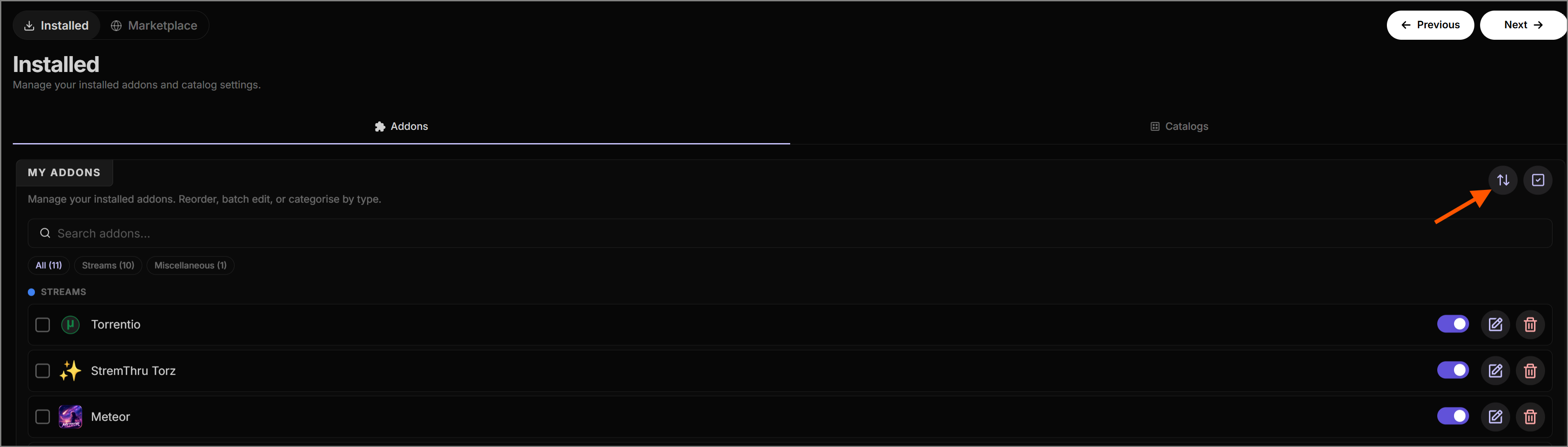
Make sure to set the add-on priorities. Give more priority to fast, reliable add-ons (like Torrentio and Sootio) that return better results quickly.
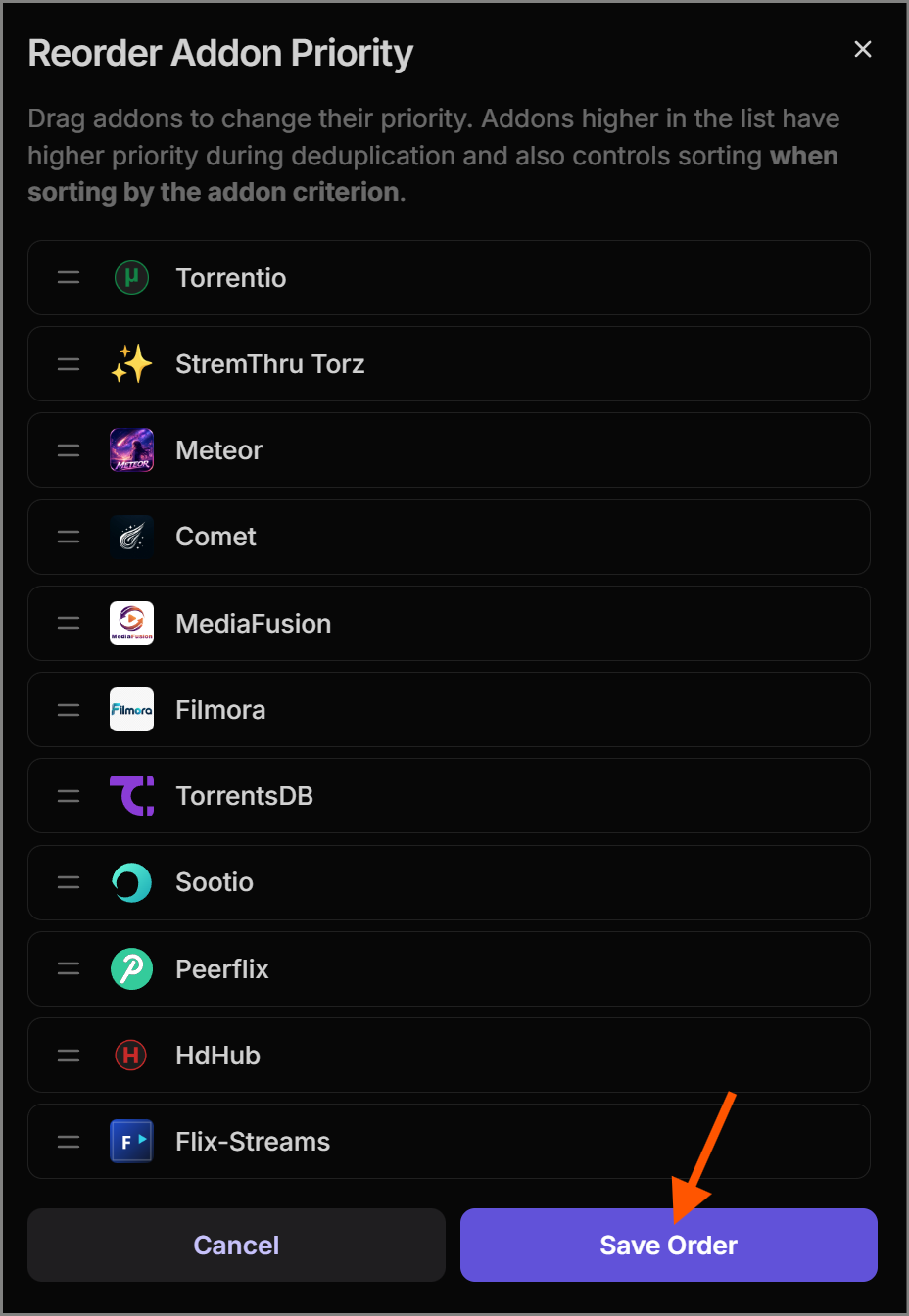
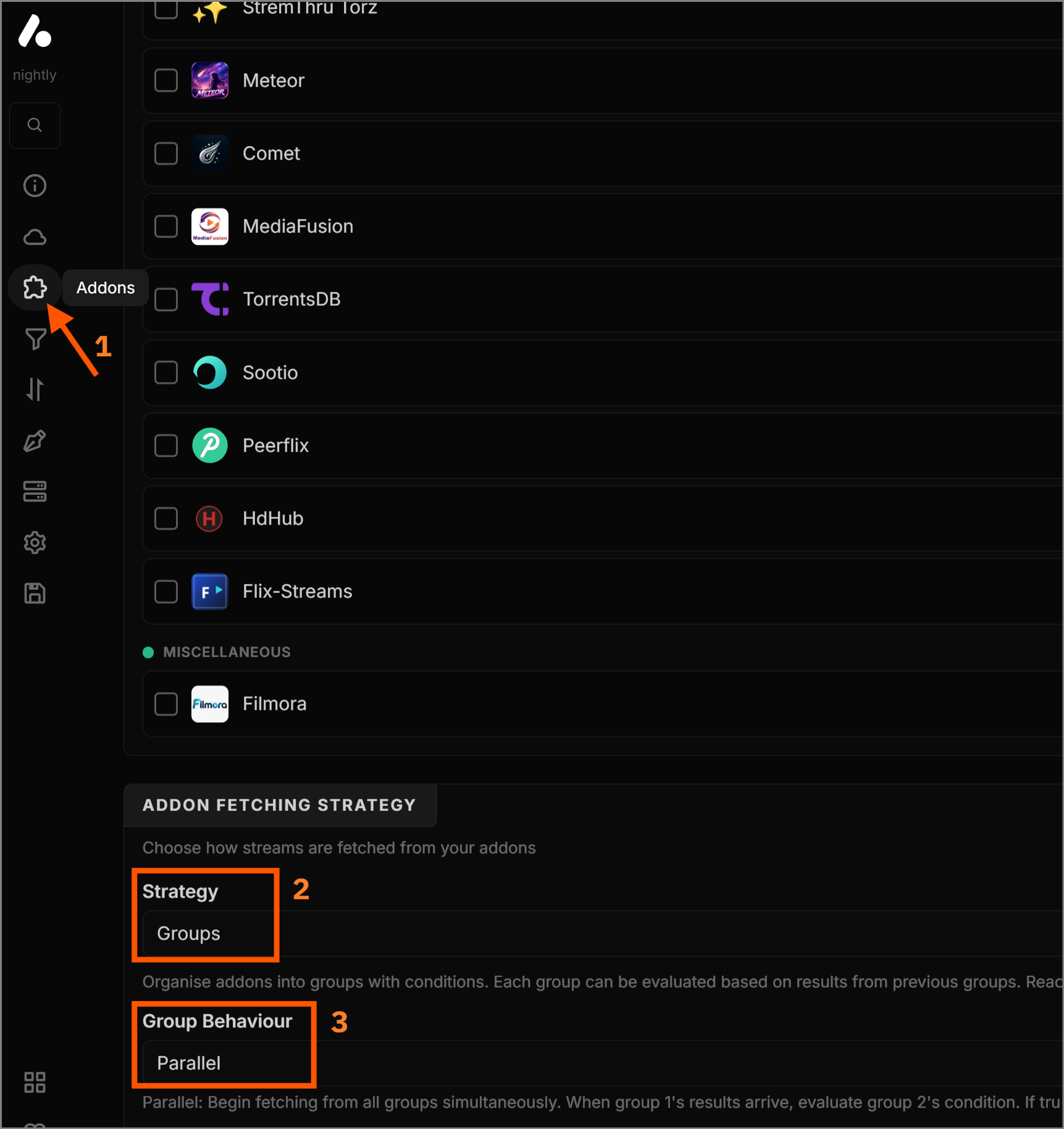
Why group add-ons?
Some less reliable add-ons can take a long time to return
results or return very few results at all. To keep Stremio
responsive, place these add-ons into fallback groups (tier 2
and tier 3). These tiers are only utilized if the fast,
reliable add-ons in tier 1 don't return enough high-quality
streams.
If you prefer faster loading, set Group Behaviour to Parallel. If you use Stremio frequently and want to reduce the load on add-on hosts (at the cost of longer wait times), choose Sequential. For the best overall experience, Parallel is highly recommended.
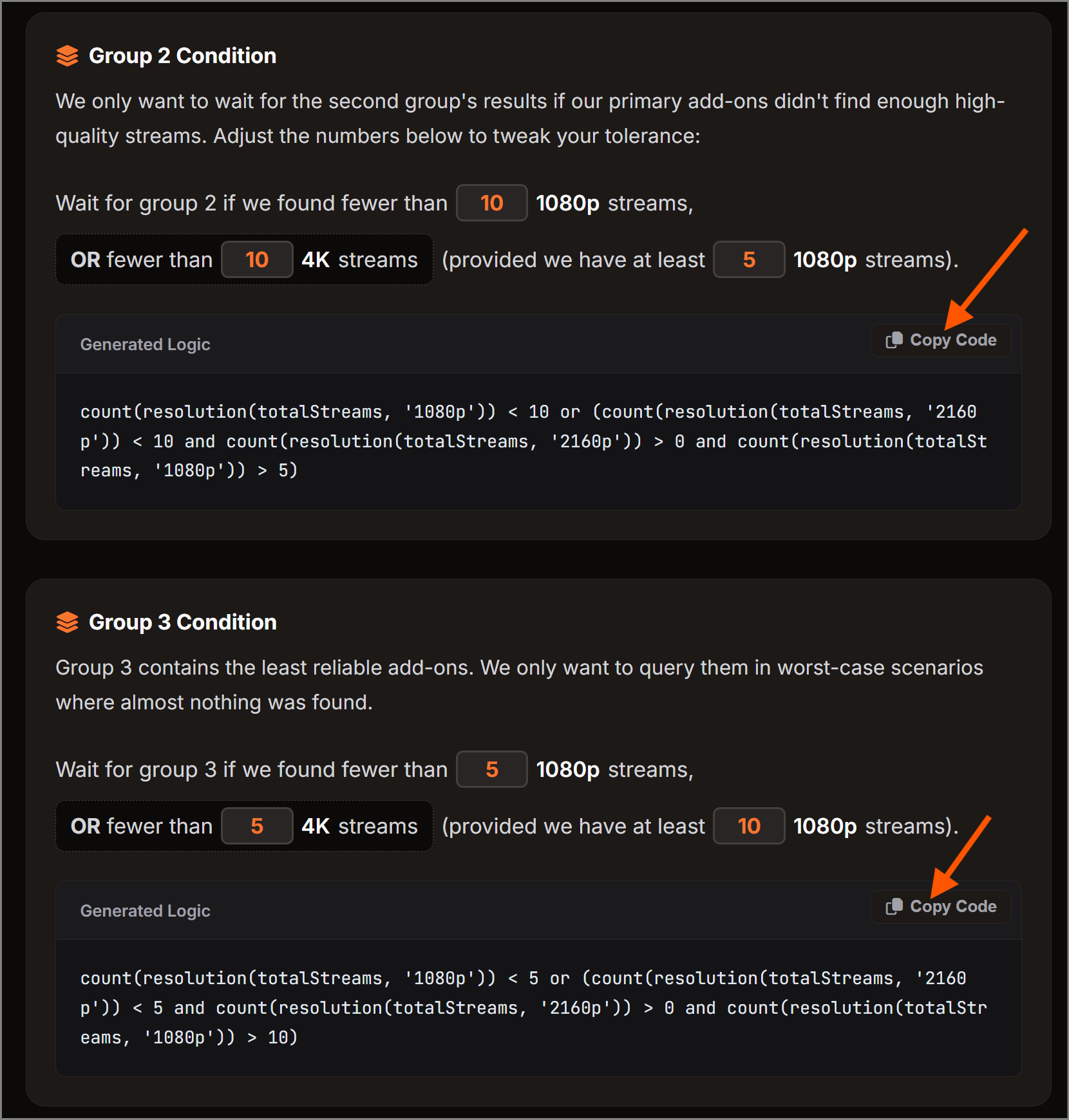
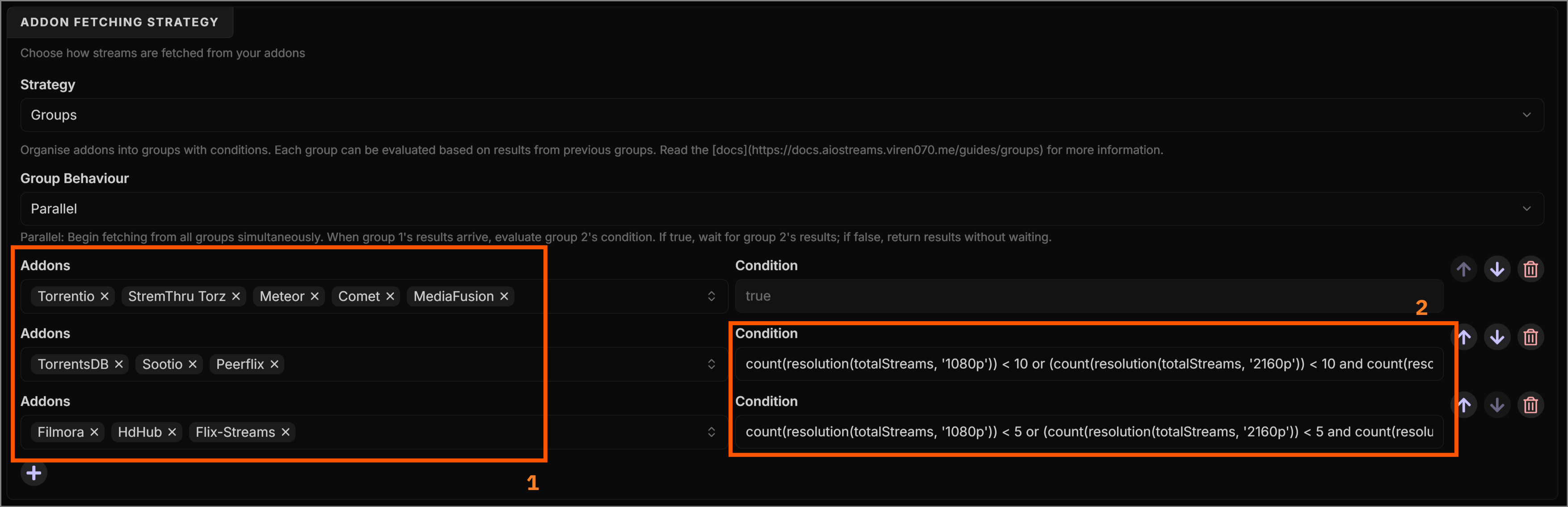
We will organize our add-ons into three groups. To ensure that groups 2 and 3 are only used when group 1 doesn't return enough high-quality streams, we'll create Condition Expressions . To do this, simply follow the two guidelines below for the group 2 and group 3 conditions. Then, copy the generated expressions into the corresponding condition fields, as shown in the tutorial images below.
Group 2 Condition
We only want to wait for the second group's results if our primary add-ons didn't find enough high-quality streams. Adjust the numbers below to tweak your tolerance:
Group 3 Condition
Group 3 contains the least reliable add-ons. We only want to query them in worst-case scenarios where almost nothing was found.
Now, copy the expressions above into the Condition fields for groups 2 and 3. The add-ons have been grouped based on personal experience, but feel free to adjust the groupings to suit your preferences.
3. Smart Filters
In the Filters section, we will configure Stremio to ignore dead links, hide garbage qualities, and prioritize the best formats for modern screens. Adjust the following settings:
Resolutions & Quality
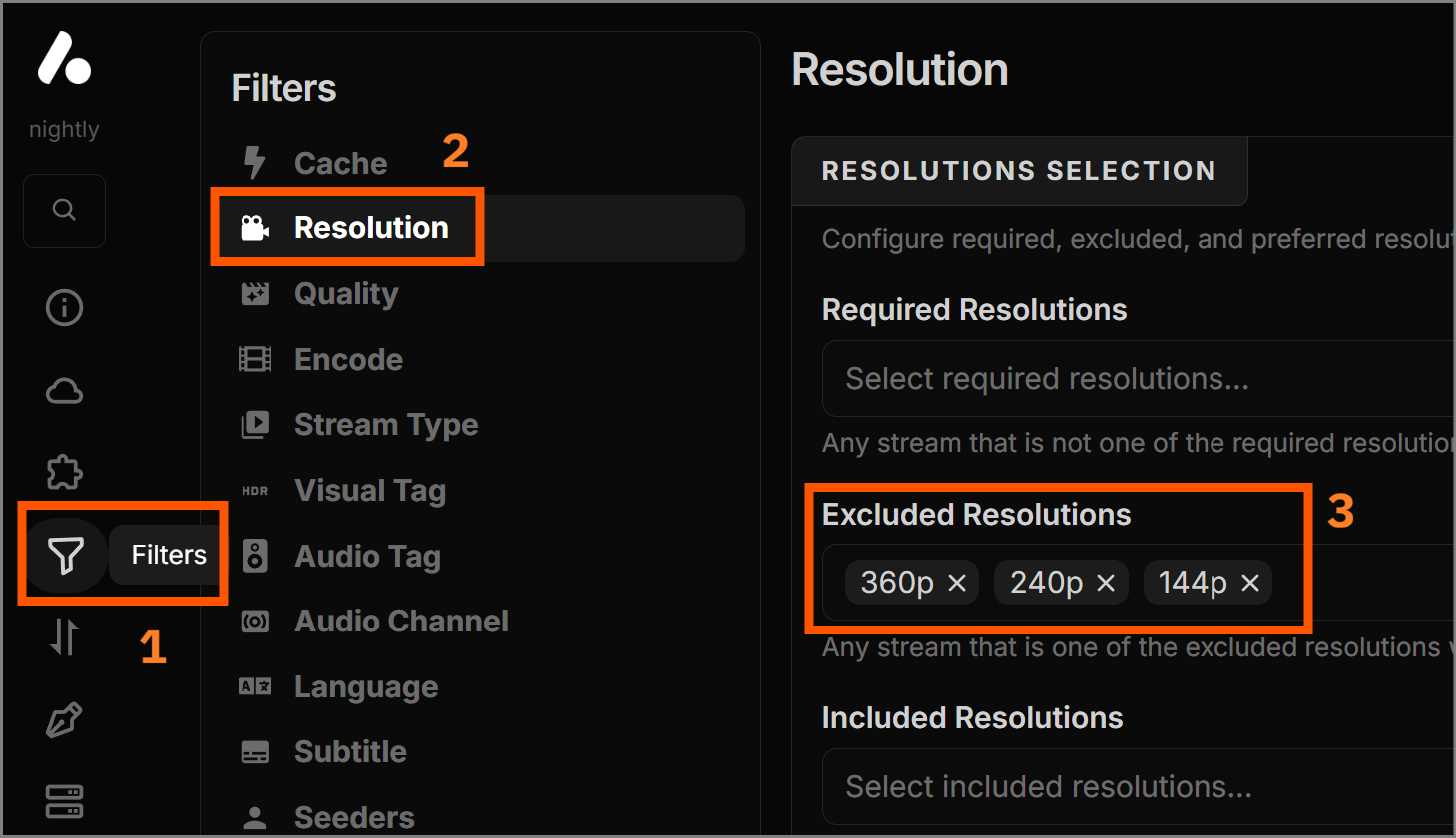
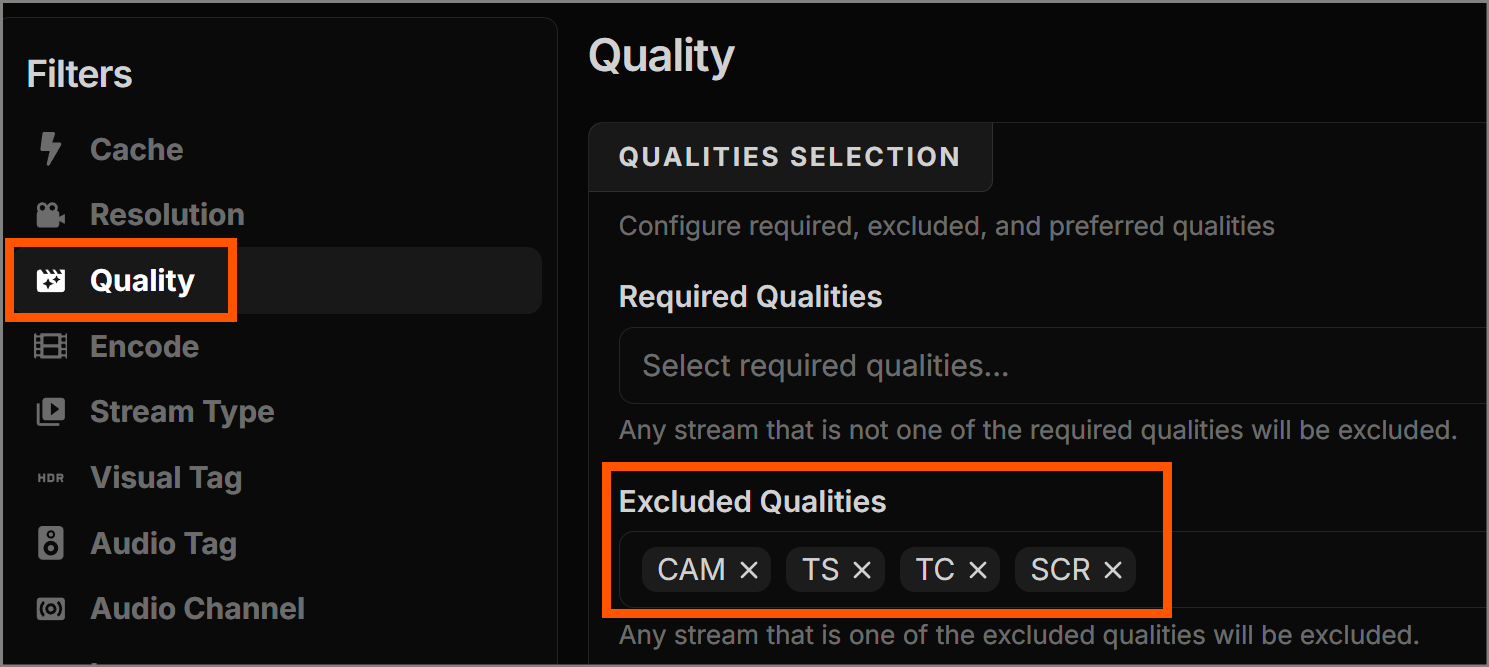
Make sure to set your 'Excluded Resolutions' and 'Quality'
settings to match what your device can handle. We highly
recommend excluding CAM and
TS to prevent blurry theater recordings from
appearing in your results.
-
Encode: Select all encodings in 'Preferred
Encodes' and use this preference order:
AV1 > HEVC > AVC > Unknown > XviD > DivX.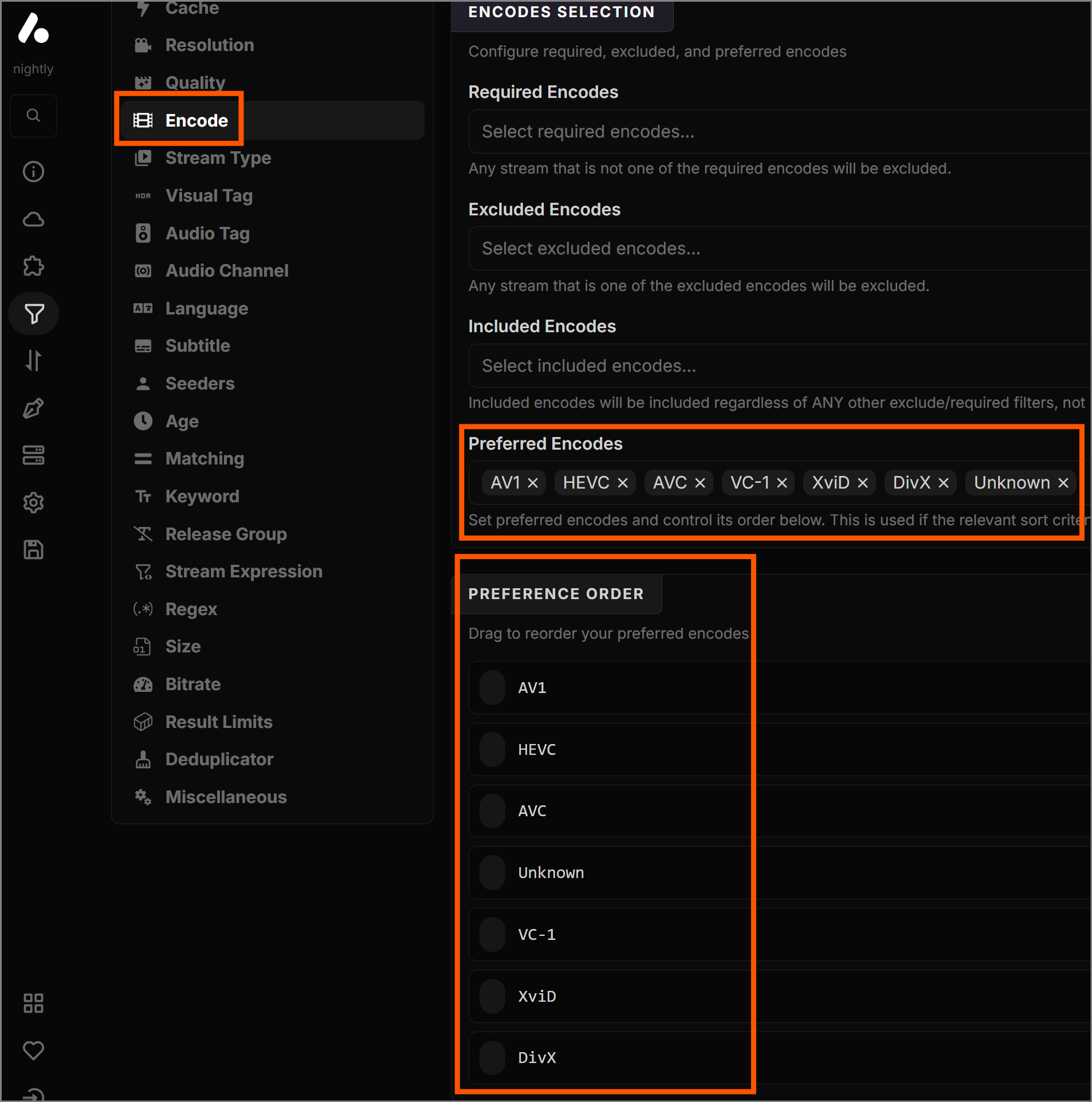
-
Stream Type: Set
externalfor 'Excluded Stream Types'. This prevents frustrating browser-based links from mixing in with your Stremio results.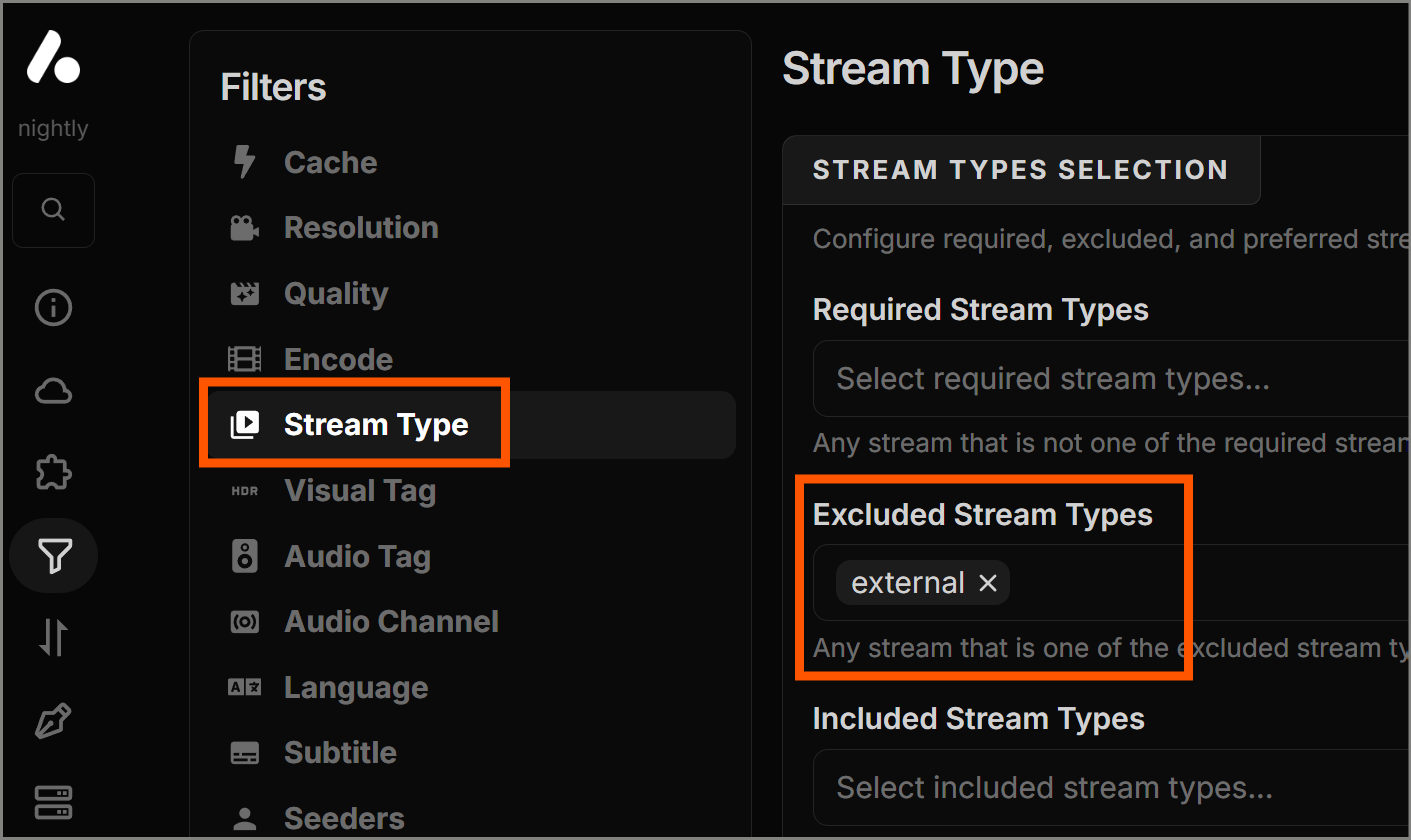
-
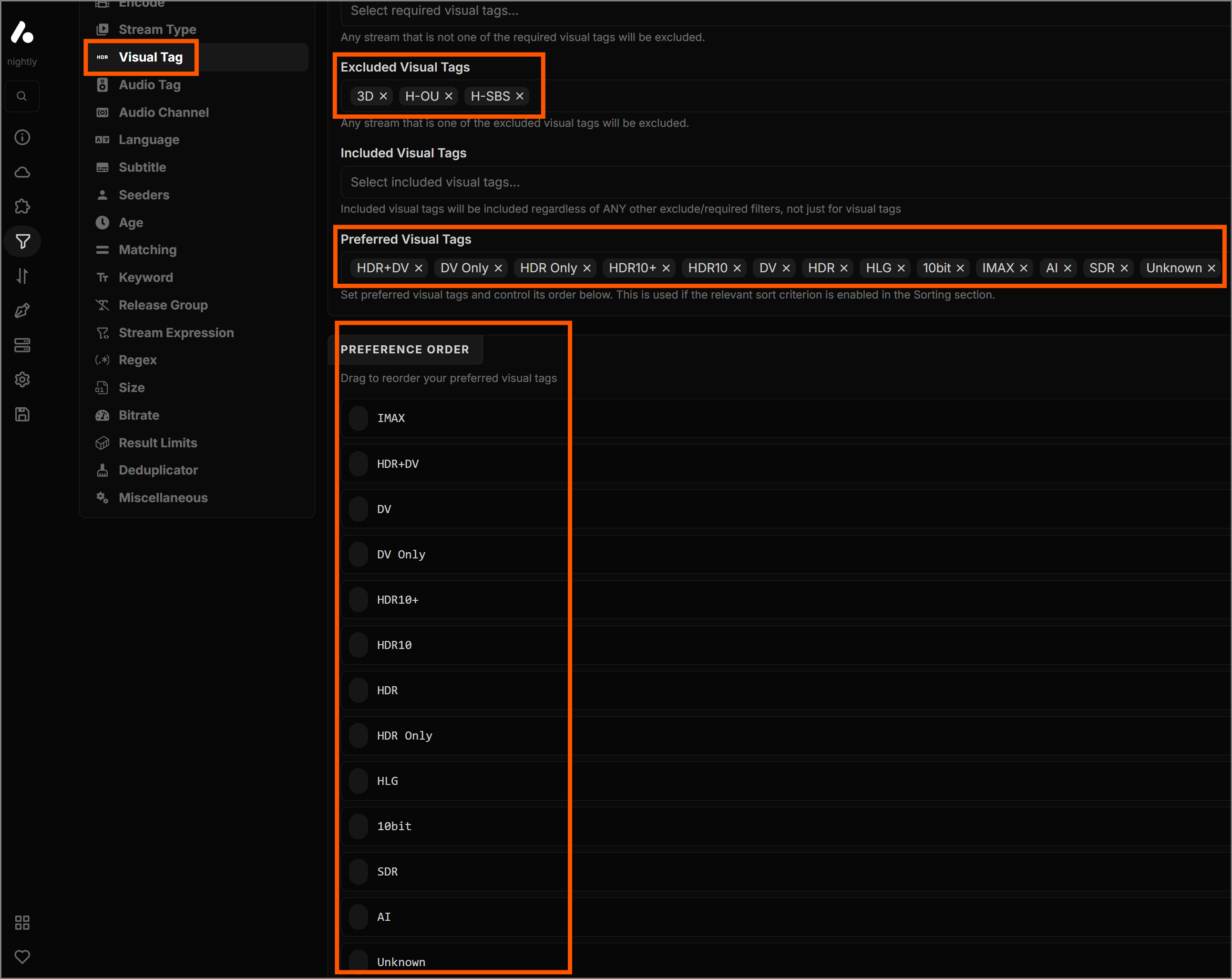
Visual Tag:
-
Excluded:
3D, H-OU, H-SBS(unless you have a 3D TV). - Preferred: All, except the excluded ones.
-
Order:
IMAX > HDR+DV > DV > DV Only > HDR10+ > HDR10 > HDR > HDR
                      Only > HLG > 10bit > SDR > AI > Unknown
-
Excluded:
-
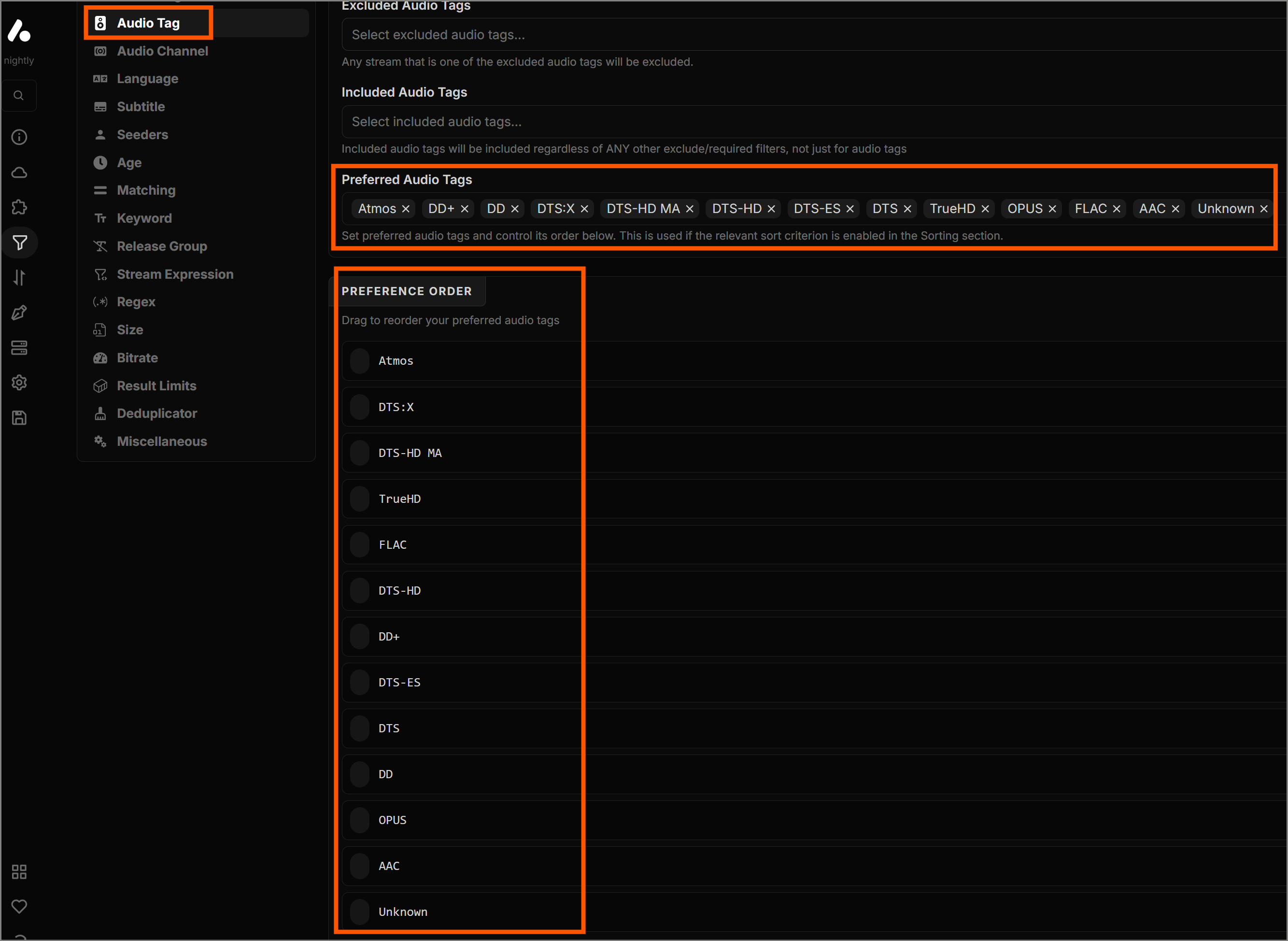
Audio Tag:
- Preferred: Select all.
-
Order:
Atmos > DTS:X > DTS-HD MA > TrueHD > FLAC > DTS-HD > DD+
                      > DTS-ES > DTS > DD > OPUS > AAC > Unknown
-
Language:
- Preferred: English, Dual Audio, Dubbed, Multi, Original, Unknown.
-
Order:
English > Original > Dual Audio > Multi > Dubbed >
                      Unknown
- Seeders: Set the 'Min' value for 'Required Seeder Range' to 1. This instantly removes dead P2P torrents that will never load.
-
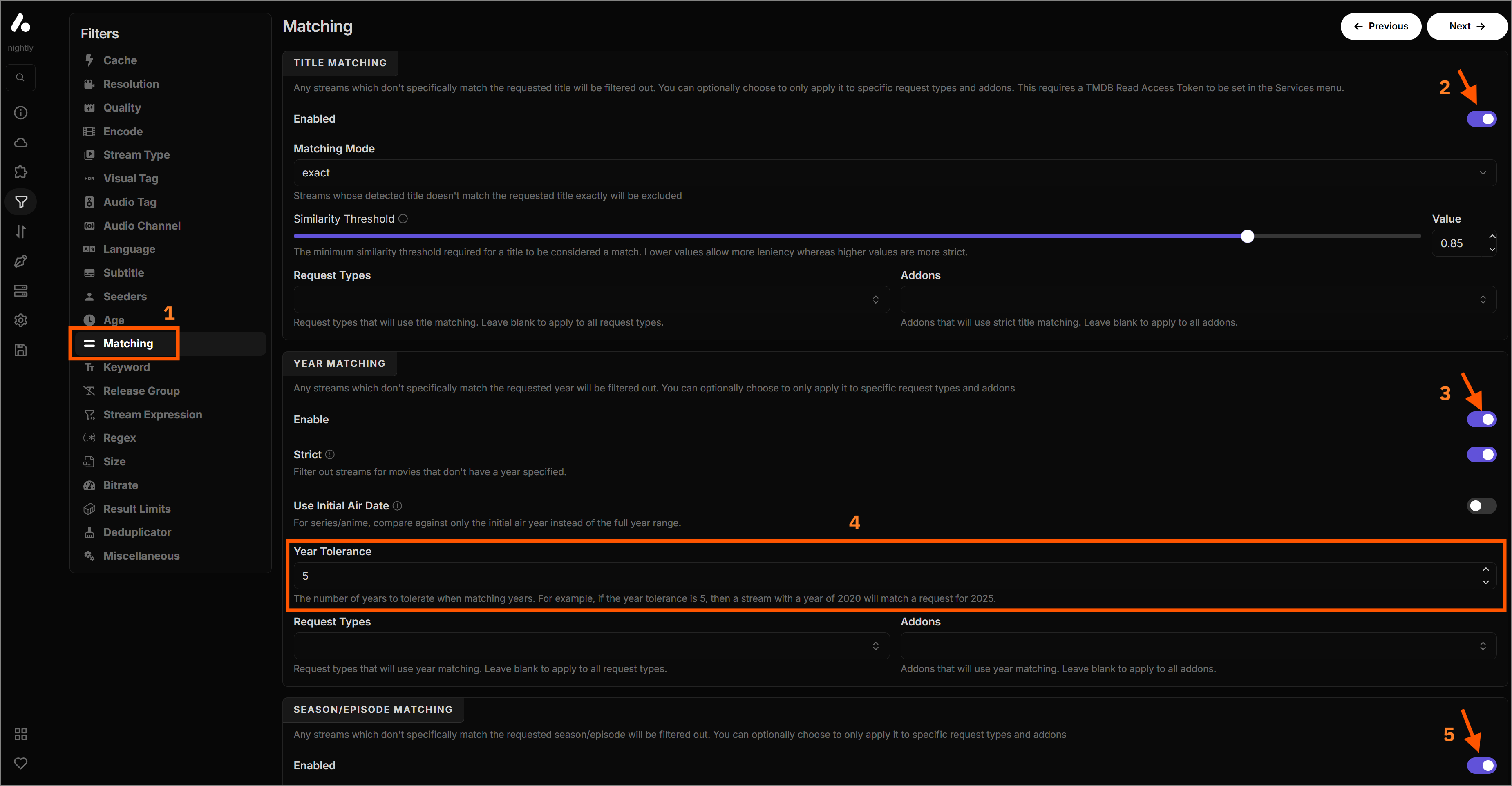
Matching: Enable all three options (title,
year, episode) to ensure Stremio doesn't show you streams for
the wrong show (for example).
Stream Expressions (auto-hiding clutter)
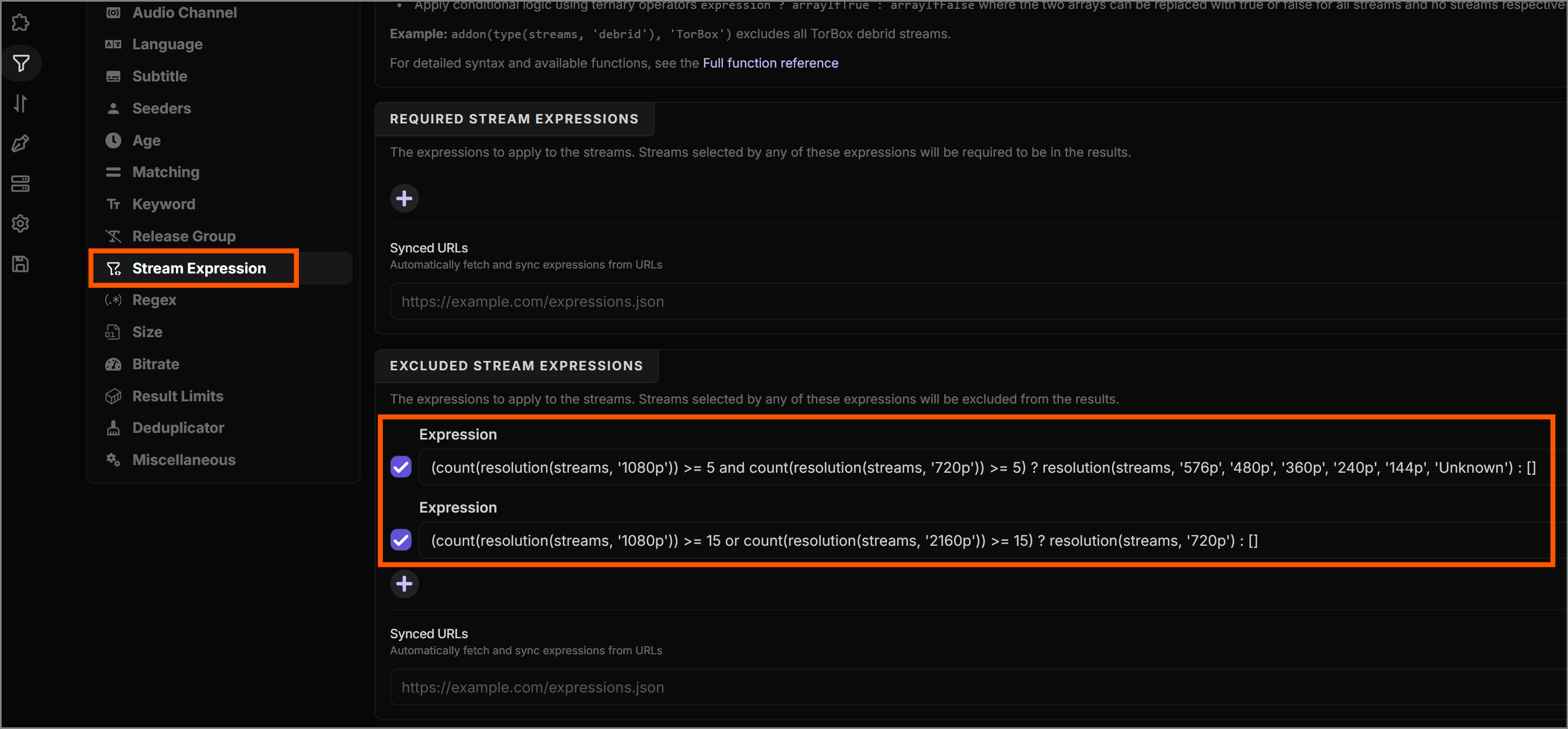
Within the 'Stream Expressions' section, we can set up smart rules under 'Excluded Stream Expressions' to hide lower qualities only if we already have plenty of high-definition choices.
1. Auto-Hide SD Streams
If we find a healthy amount of HD content, there's no reason to clutter the screen with 480p or 360p results.
2. Auto-Hide 720p Streams
Similarly, if we are flooded with 1080p or 4K streams, we can safely hide the 720p results. Feel free to fine-tune the thresholds:
Now, copy the stream expressions above into the corresponding expression fields on the AIOStreams configuration page as shown below.
Size & Deduplicator
-
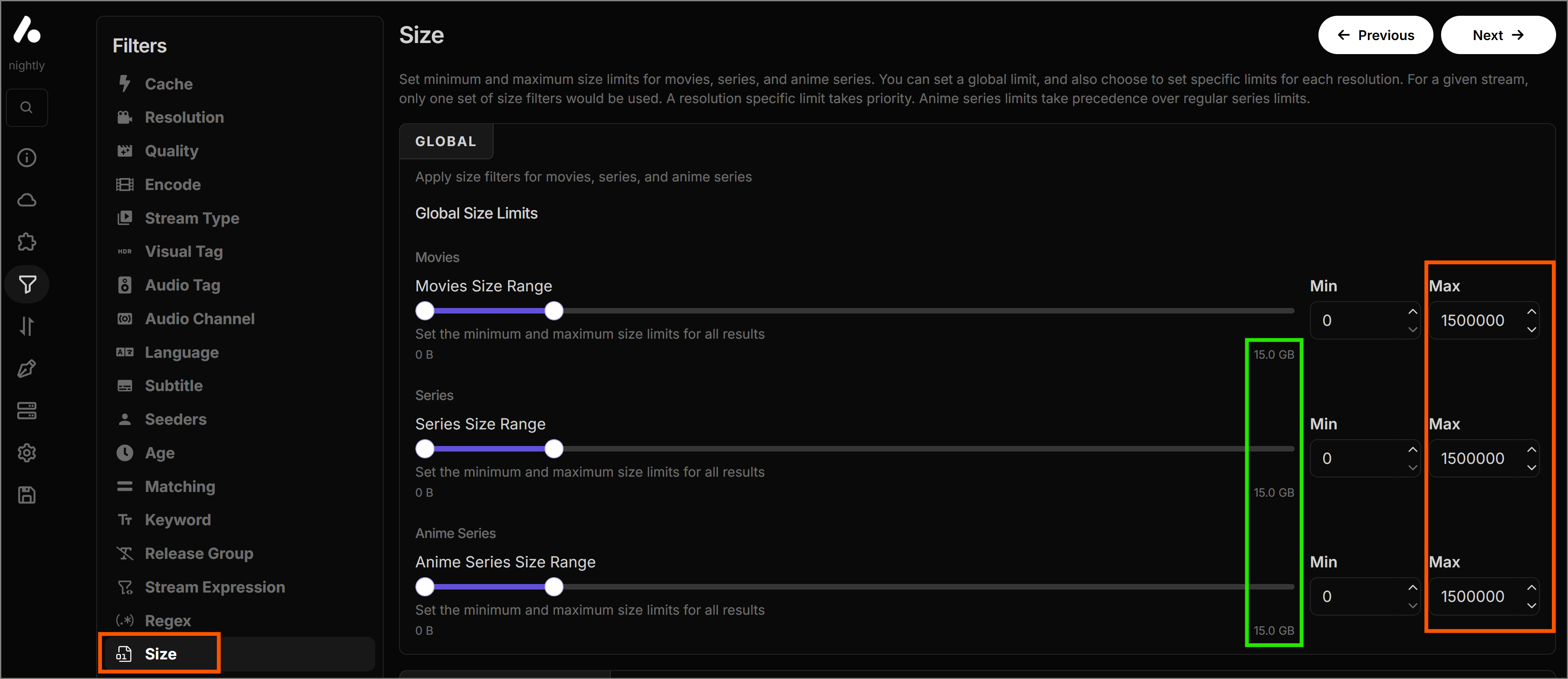
Size Limit (Optional): If you have a limited
internet plan or a slow connection, set the 'Max' file size
within 'Size' filters under the 'Global' section.
Example: If your internet speed is 20Mbps, you should cap the
Max value at 15GB to prevent buffering.
-
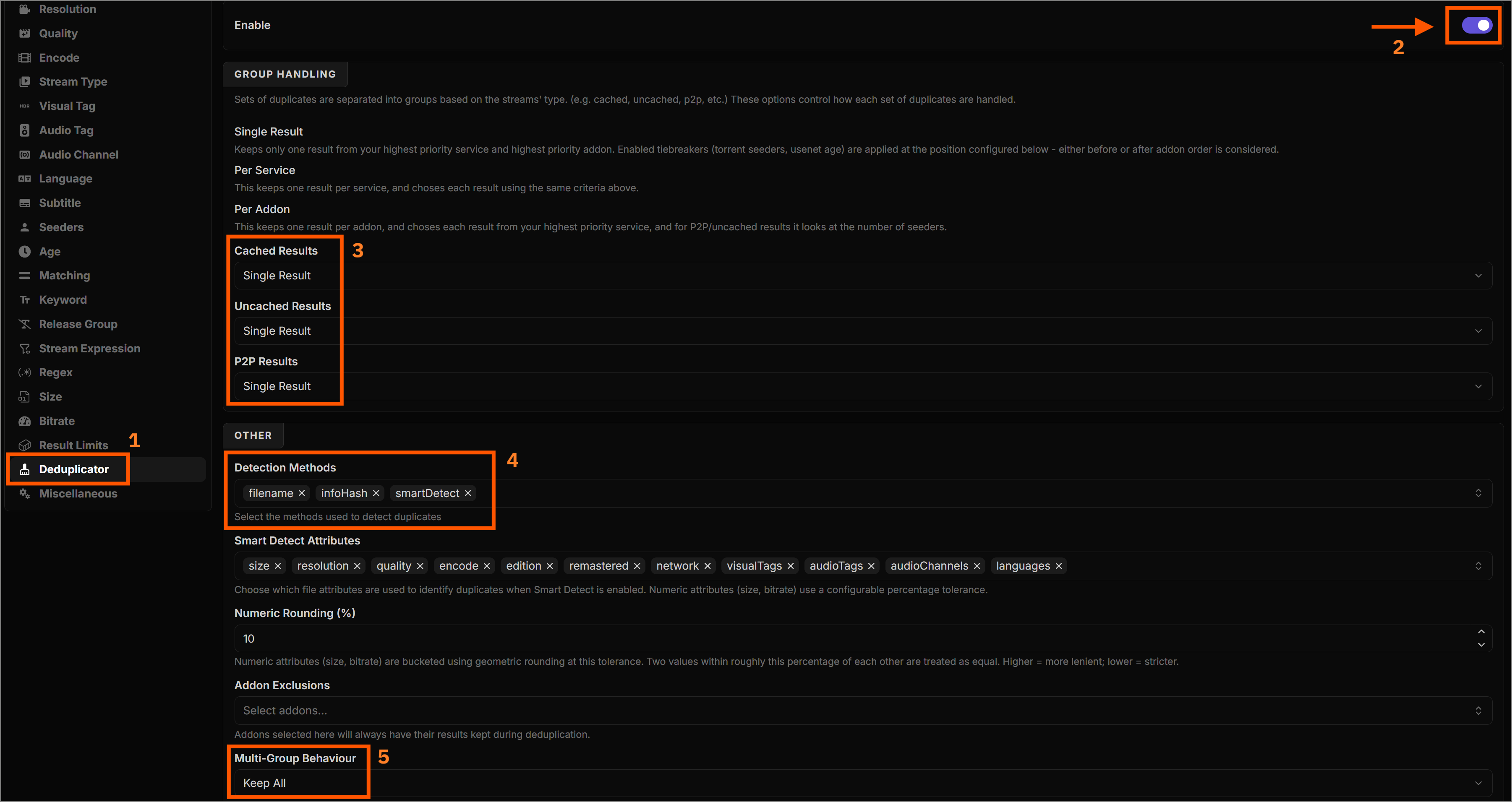
Deduplicator: Under 'Deduplicator' filters,
toggle 'Enable' to merge identical torrents found by different
add-ons into one single result.
- Set all entries under 'Group Handling' to Single Result.
-
Pick
filename, infoHash, smartDetectunder 'Detection Methods'. - Set 'Multi-Group Behaviour' to Keep All.
4. Sorting Rules
Recommended Strategy
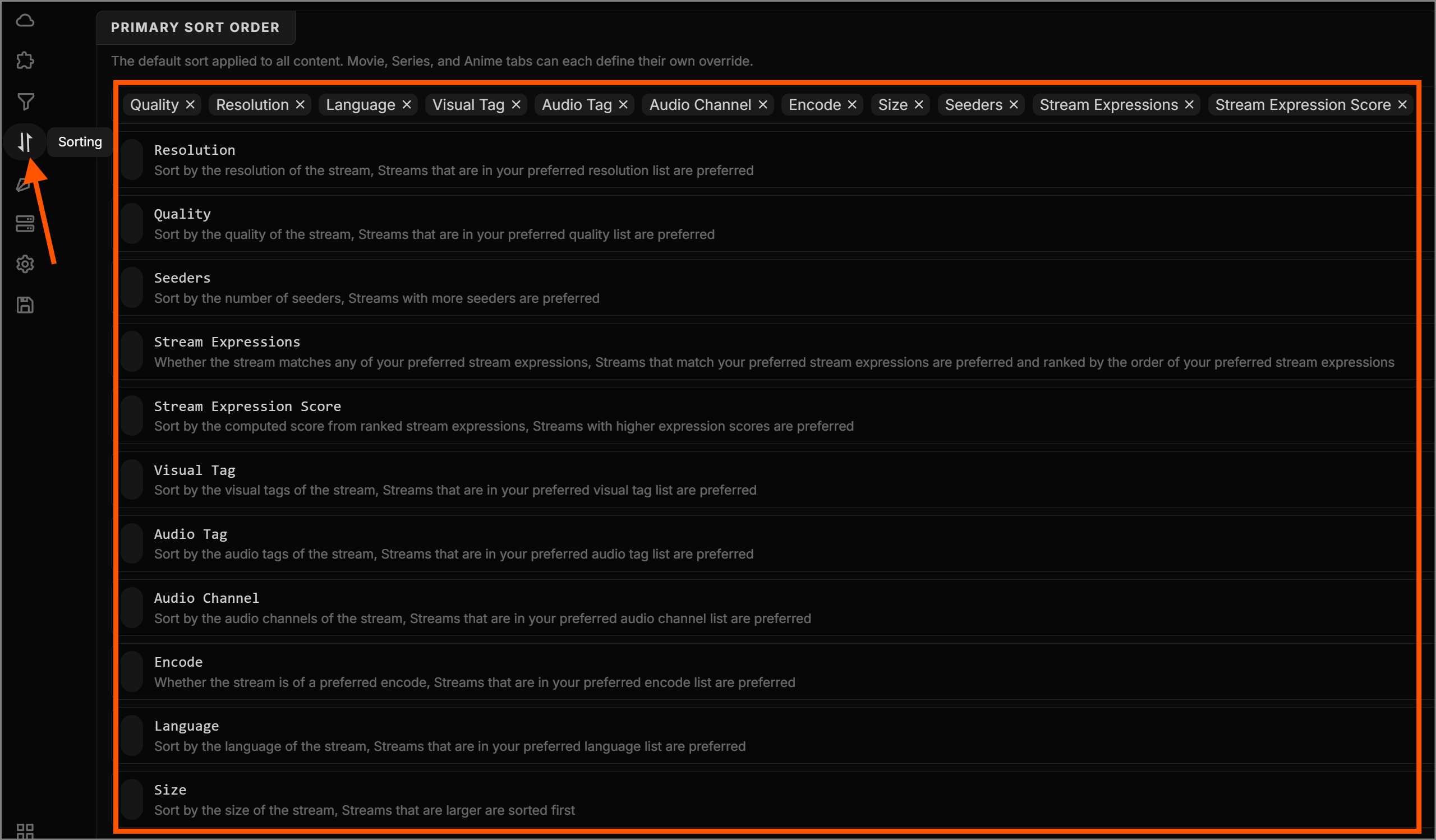
For this free setup, placing higher resolutions at the top
while using seeders as a strong secondary criteria ensures you
get the best looking stream that will actually play without
buffering.
Configure your primary sorting rules as shown below, or customize them to suit your preferences.
5. Formatter Design (Optional)
This setting dictates how much information each individual Stremio stream result will display, and how pretty it looks.
-
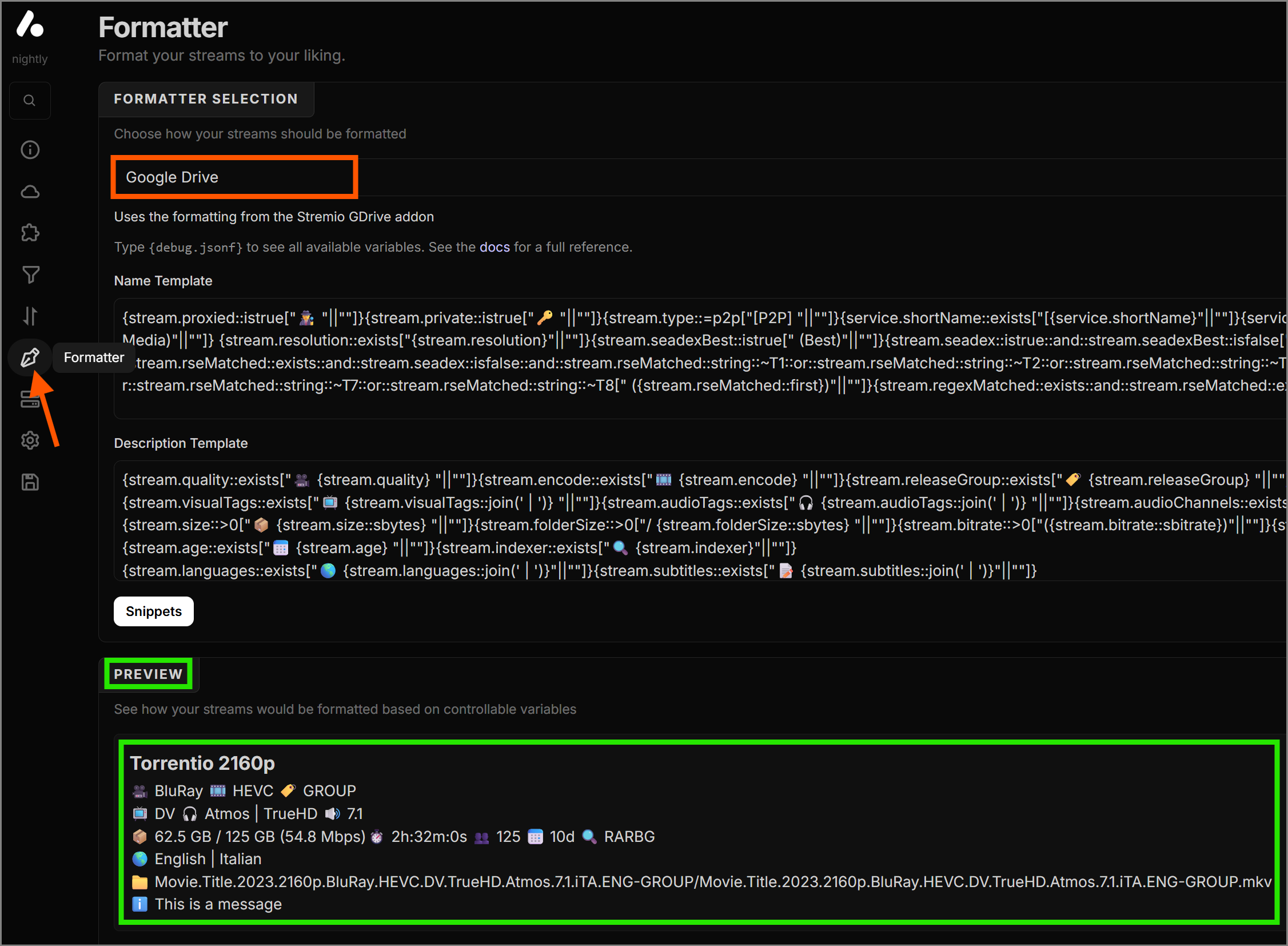
Under 'Formatter Selection', you can select
'Google Drive' for a built-in layout with lots
of details, or pick one of the minimal options if you prefer a
cleaner look.
-
For the ultimate experience, select 'Custom'.
- You can build your own formatter using the custom format maker .
-
Or, skip the work: Copy and paste the
custom formatter used in this guide (if you like the style).
Name Template
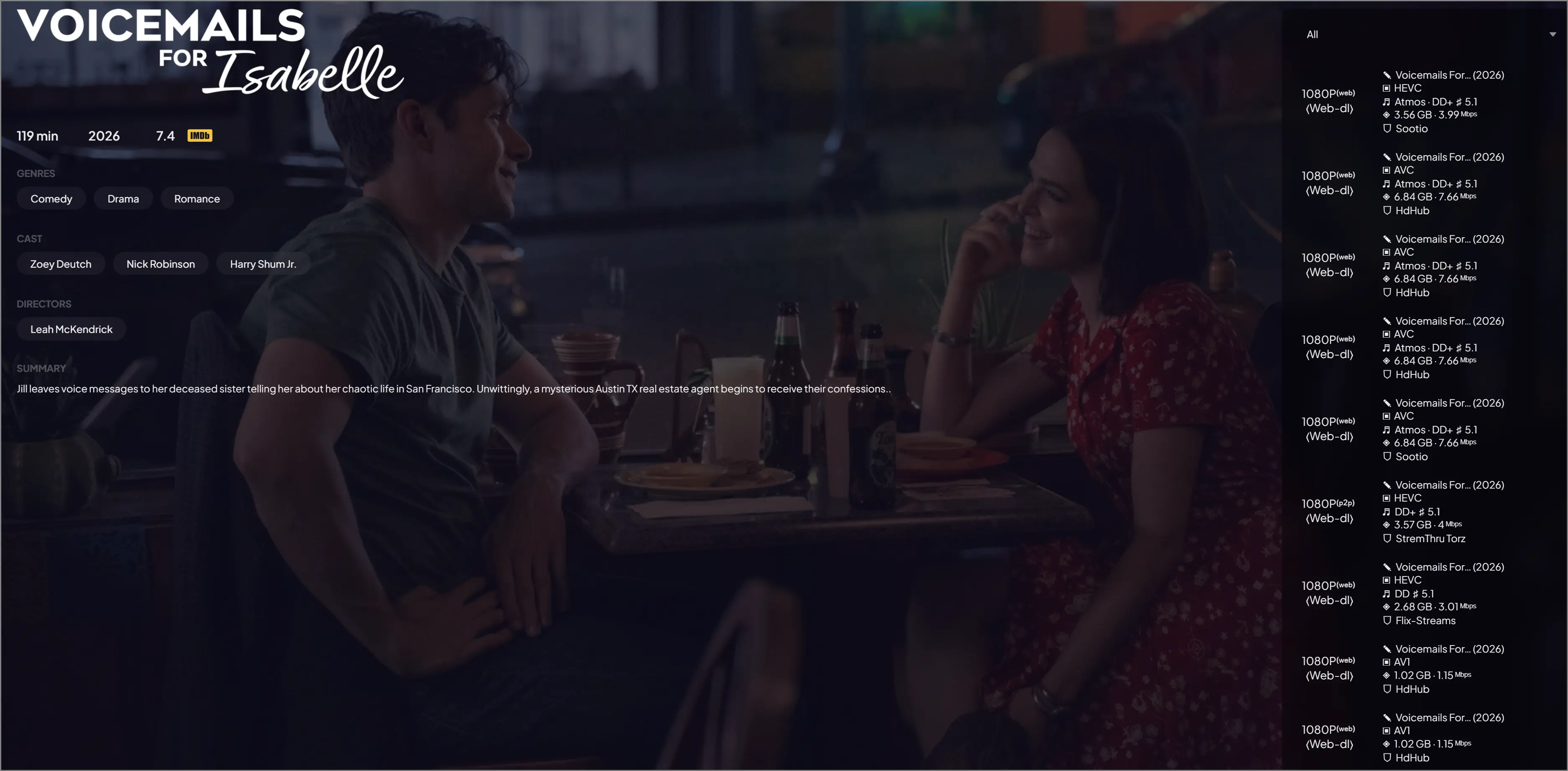
{stream.resolution::exists["{stream.resolution::replace('2160p',' 4K ')::replace('1440p',' 2K ')::replace('p','P')}"||" "]}{stream.type::exists["{stream.type::replace('debrid',' ')::replace('p2p','⁽ᵖ²ᵖ⁾')::replace('live','⁽ˡᶦᵛᵉ⁾')::replace('http','⁽ʷᵉᵇ⁾')::replace('usenet','⁽ⁿᶻᵇ⁾')::replace('stremio-usenet','⁽ⁿᶻᵇ⁾')::replace('info','⁽ᶦⁿᶠᵒ⁾')::replace('statistic','⁽ˢᵗᵃᵗˢ⁾')::replace('external','⁽ᵉˣᵗ⁾')::replace('error','⁽ᵉʳʳᵒʳ⁾')::replace('youtube','⁽ʸᵗ⁾')}"||""]}{service.cached::istrue["⚡"||""]}{service.cached::isfalse["⏳"||""]}{stream.quality::exists["\n 〈{stream.quality::title::replace('Bluray Remux','Remux')::replace('Web-dl','Web-dl')::replace('Hc Hd-rip','HC HDRip')::replace('Hdrip','HDRip')}〉 "||""]}{stream.message::~Download["{tools.removeLine}\n"||""]}{stream.message::~Download["{tools.removeLine}\n"||""]}Copy and paste the expressions above. The resulting appearance is shown below.Description Template
{stream.title::exists::and::stream.library::isfalse["✎ {stream.title::title::truncate(15)}"||""]}{stream.title::exists::and::stream.library::istrue["☁︎ {stream.title::title::truncate(15)} "||""]}{stream.year::exists::and::stream.episodes::exists::isfalse::and::stream.seasons::exists::isfalse[" ({stream.year})"||""]}{stream.seasonEpisode::exists[" {stream.seasonEpisode::join('·')::replace('E','ᴇ')::replace('S','s')::replace('0','₀')::replace('1','₁')::replace('2','₂')::replace('3','₃')::replace('4','₄')::replace('5','₅')::replace('6','₆')::replace('7','₇')::replace('8','₈')::replace('9','₉')}"||""]} {stream.visualTags::=IMAX["{tools.removeLine}\n"||"{tools.removeLine}\n"]}{stream.encode::exists["▣ {stream.encode} "||""]}{stream.visualTags::~DV::or::stream.visualTags::~HDR::or::stream.visualTags::~HDR10::or::stream.visualTags::~HDR10+::and::stream.visualTags::exists::and::stream.visualTags::=IMAX::isfalse["✦ "||""]}{stream.visualTags::exists::and::stream.visualTags::=IMAX::isfalse::and::stream.visualTags::~DV::isfalse::and::stream.visualTags::~HDR::isfalse::and::stream.visualTags::~HDR10::isfalse::and::stream.visualTags::~HDR10+::isfalse["✧ "||""]}{stream.visualTags::exists::and::stream.visualTags::=IMAX::isfalse["{stream.visualTags::sort::join(' · ')::replace('HDR · HDR','HDR')::replace(' · IMAX','')} "||""]} {stream.audioTags::exists["♬ {stream.audioTags::lsort::join(' · ')::replace('DD · DD','DD')::replace('DTS · DTS','DTS')} "||""]}{stream.audioChannels::exists["♯ {stream.audioChannels::join(' · ')} "||""]} {stream.size::>0::and::stream.seasonPack::istrue["❖ "||""]}{stream.size::>0::and::stream.seasonPack::isfalse["◈ "||""]}{stream.size::>0["{stream.size::sbytes}"||""]}{stream.folderSize::>0["/{stream.folderSize::sbytes}"||""]}{stream.bitrate::exists[" · {stream.bitrate::sbitrate::replace('Mbps','ᴹᵇᵖˢ')::replace('Kbps','ᴷᵇᵖˢ')} "||""]}{stream.message::~Download["{tools.removeLine}"||""]}{service.cached::isfalse::or::stream.type::=p2p::and::stream.seeders::>0["⇄ {stream.seeders} 𖧧 "||""]}{stream.age::exists["· {stream.age}"||""]} {stream.proxied::istrue["⛊ "||"⛉ "]}{service.shortName::exists["[{service.shortName}] "||""]}{addon.name}{stream.private::istrue[" ⚿ ᴘʀɪᴠᴀᴛᴇ "||""]}{stream.indexer::exists::and::stream.type::~usenet[" · {stream.indexer::truncate(13)}"||""]}{stream.message::~Download["{tools.removeLine}\n"||""]} {stream.uLanguages::exists["⛿ {stream.uSmallLanguageCodes::join(' · ')::replace('ꜰ','ғ')::replace('x','х')::replace('ꞯ','ϙ')::replace('ꜱ','s')::replace('ᴅᴜᴀʟ ᴀᴜᴅɪᴏ','ᴅᴜᴏ')::replace('ᴅᴜʙʙᴇᴅ','ᴅᴜʙ')} "||""]}{stream.seadex::or::stream.seScore::>0::or::stream.seScore::<0::or::stream.message::exists::or::stream.rseMatched::length::>0[" » "||""]}{stream.seadexBest::istrue[" ʙᴇsᴛ ʀᴇʟᴇᴀsᴇ "||""]}{stream.seadex::istrue::and::stream.seadexBest::isfalse[" ᴀʟᴛ ʙᴇsᴛ ʀᴇʟᴇᴀsᴇ "||""]}{stream.seadex::isfalse::and::stream.rseMatched::length::>0["{stream.rseMatched::remove('TrueHD ATMOS')::remove('DD+ ATMOS')::remove('ATMOS')::remove('TrueHD')::remove('DTS-HD MA')::remove('FLAC')::remove('DTS-HD HRA')::remove('DD+')::remove('DD')::remove('DTS-ES')::remove('DTS X')::remove('DTS')::remove('AAC')::remove('Opus')::remove('DV (Disk)')::remove('DV')::remove('HDR10+ Boost')::remove('HDR')::remove('UHD Streaming Boost')::remove('HD Streaming Boost')::remove('INTERNAL')::remove('No-RlsGroup')::remove('FHD')::remove('UHD')::remove('HD')::remove('4K')::remove('126811')::remove('SiC')::remove('FraMeSToR')::remove('TheFarm')::remove('hallowed')::remove('BHDStudio')::remove('FLUX')::remove('Season Pack')::join(' ')::replace('UHD ','')::replace('HD ','')::replace('Movies Anywhere','MA')::upper::replace('F','ғ')::replace('X','х')::replace('Q','ϙ')::replace('0','₀')::replace('1','₁')::replace('2','₂')::replace('3','₃')::replace('4','₄')::replace('5','₅')::replace('6','₆')::replace('7','₇')::replace('8','₈')::replace('9','₉')::smallcaps::replace('ꜱ','s')} "||""]}{stream.message::exists[" {stream.message::replace('NZB Health: ✅','☑ ɴᴢʙ')::replace('NZB Health: 🧝','☑ ᴇʟғ ɴᴢʙ')::replace('NZB Health: ⚠️','ᴜɴᴠᴇʀɪғɪᴇᴅ ɴᴢʙ')::replace('NZB Health: 🚫','✘ɴᴢʙ')::smallcaps} "||""]}{stream.seScore::>0::or::stream.seScore::<0["{stream.seScore::string::replace('0','₀')::replace('1','₁')::replace('2','₂')::replace('3','₃')::replace('4','₄')::replace('5','₅')::replace('6','₆')::replace('7','₇')::replace('8','₈')::replace('9','₉')}"||""]}{stream.message::~Download["{tools.removeLine}"||""]}{service.cached::istrue::and::stream.message::~Download::istrue["\n➥ DL Stream"||""]}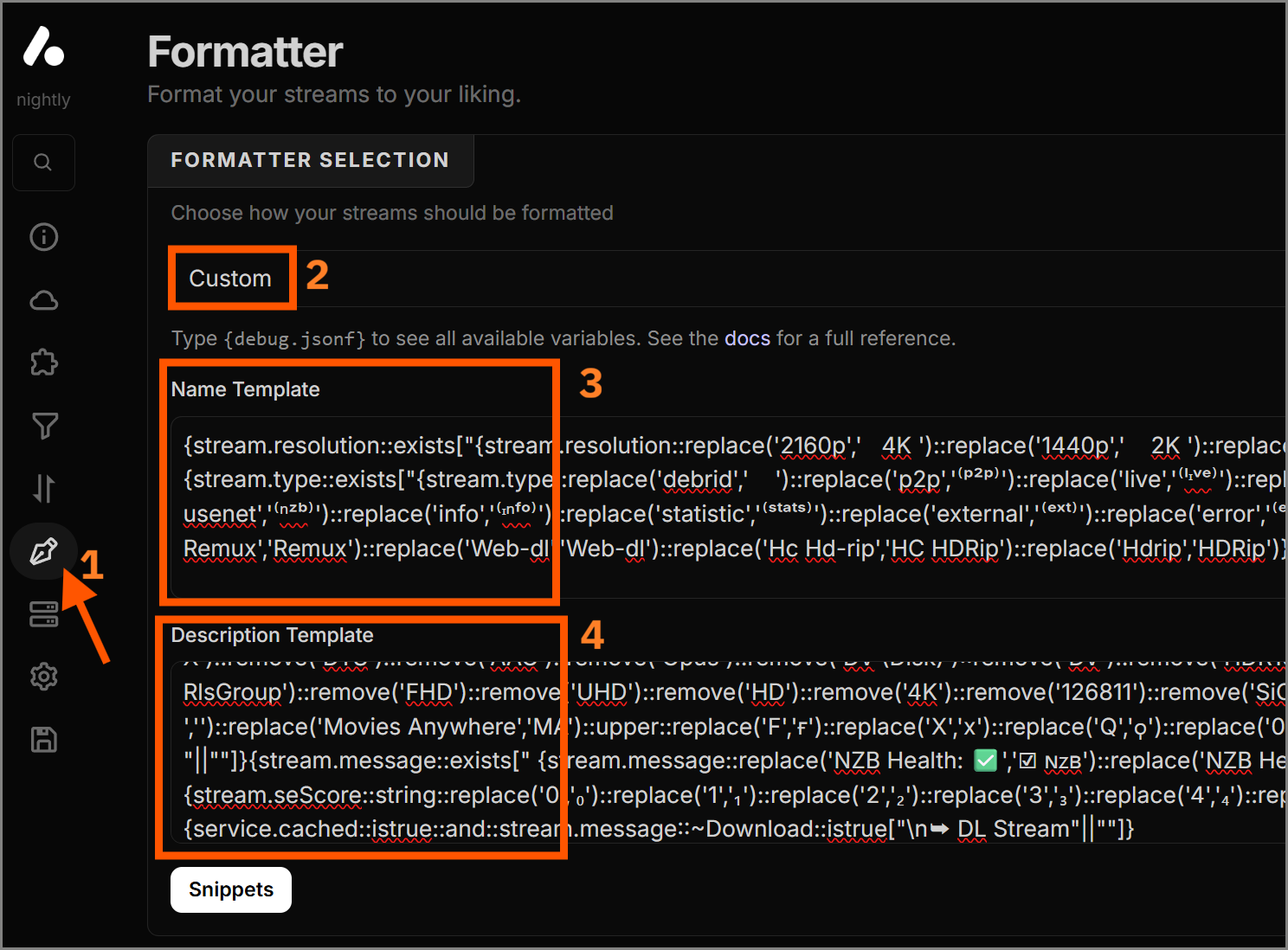 Step 1: Paste custom templates
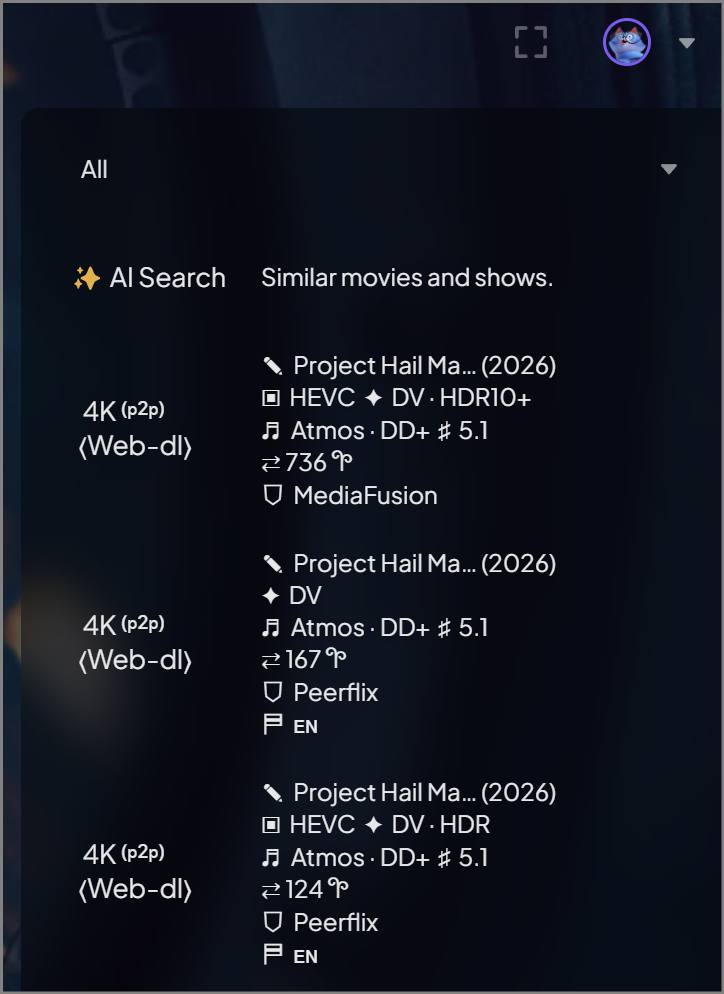 Step 2: Preview of the final look it will have in Stremio
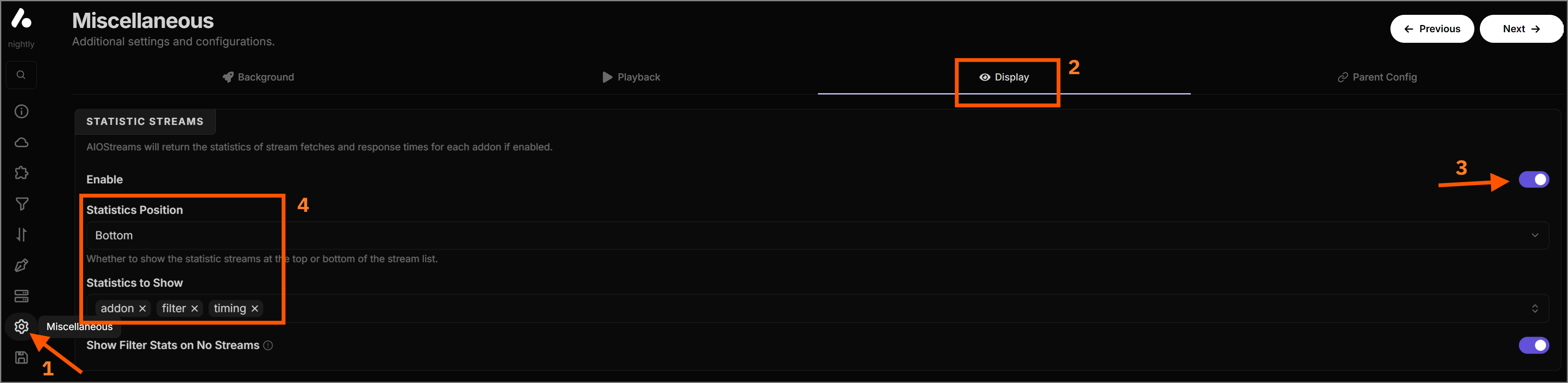
Statistics Block (Optional)
Under the Miscellaneous section, you can toggle
Statistics to 'On'. This will add a helpful
block at the bottom of your Stremio results showing which
add-ons succeeded, which timed out, and how many items were
filtered out and why. Great for debugging!
6. TMDB Integration (Required)
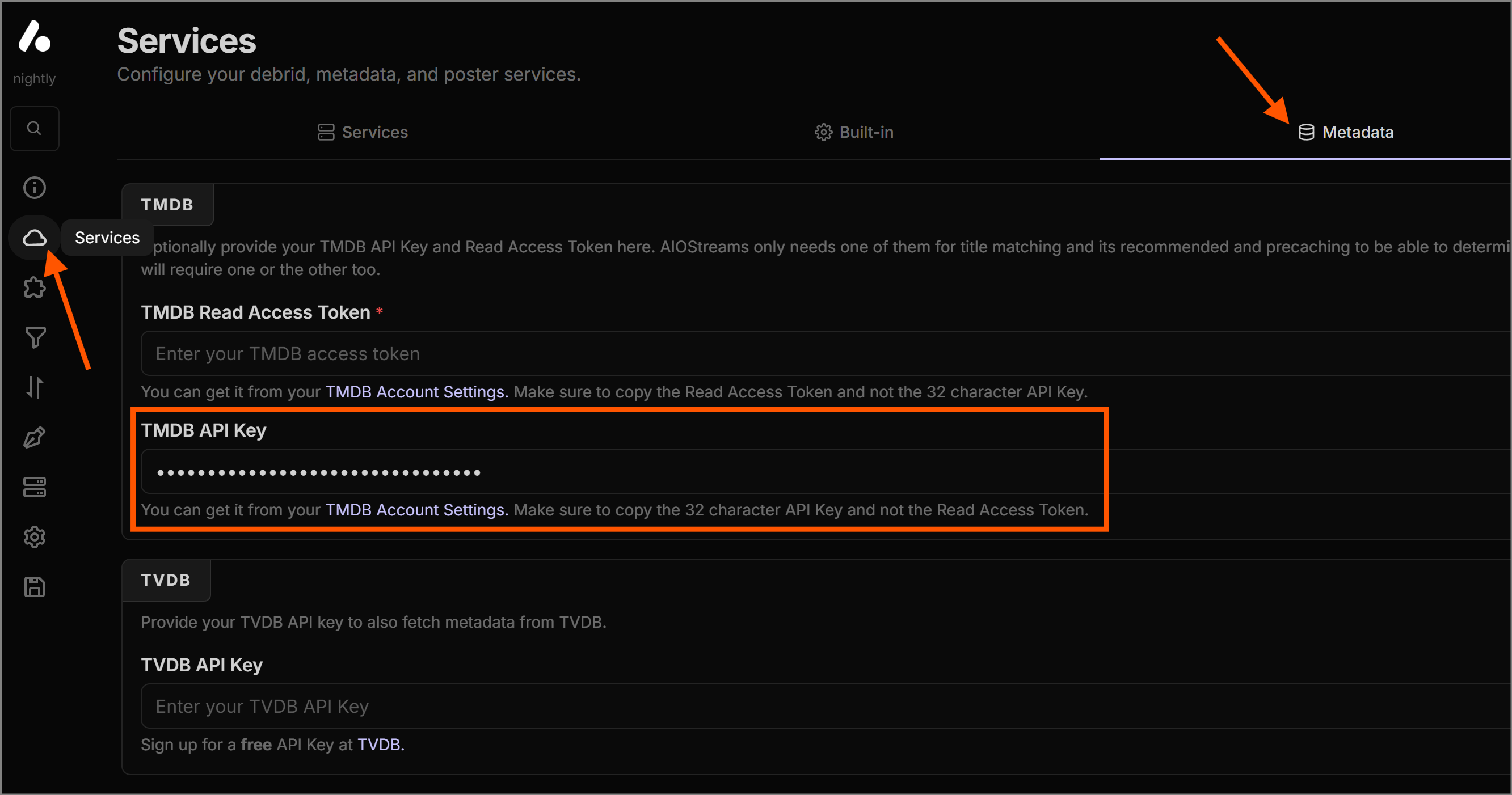
For the smart filtering and exact-matching options to work, AIOStreams needs to know the exact metadata of the movie or show you clicked on. To do this, it is mandatory to provide a TMDB API key.
Once you are logged into TMDB and navigate to the API settings, copy your standard API key.
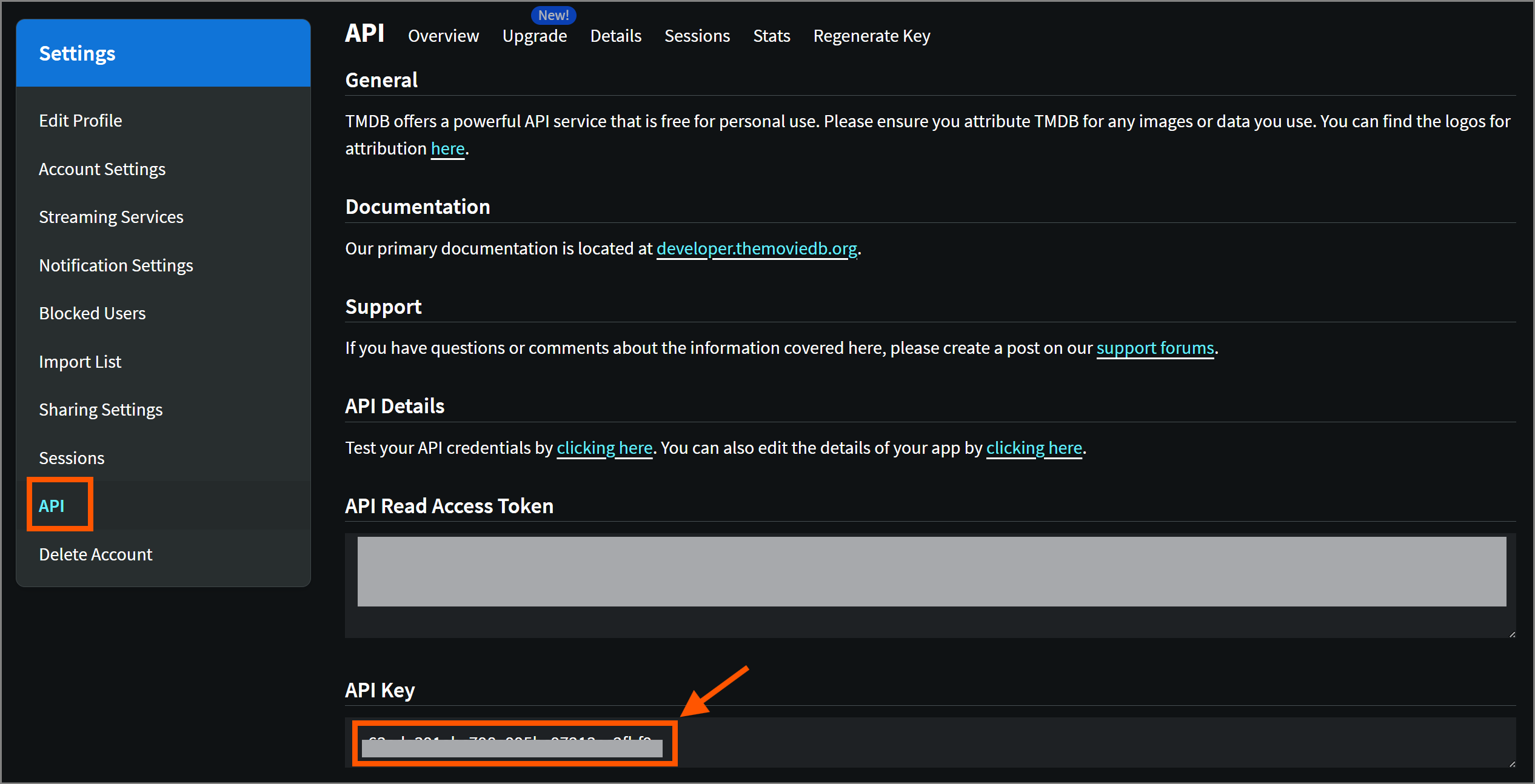
Paste this key into the designated TMDB box on the AIOStreams setup page.
7. Installation
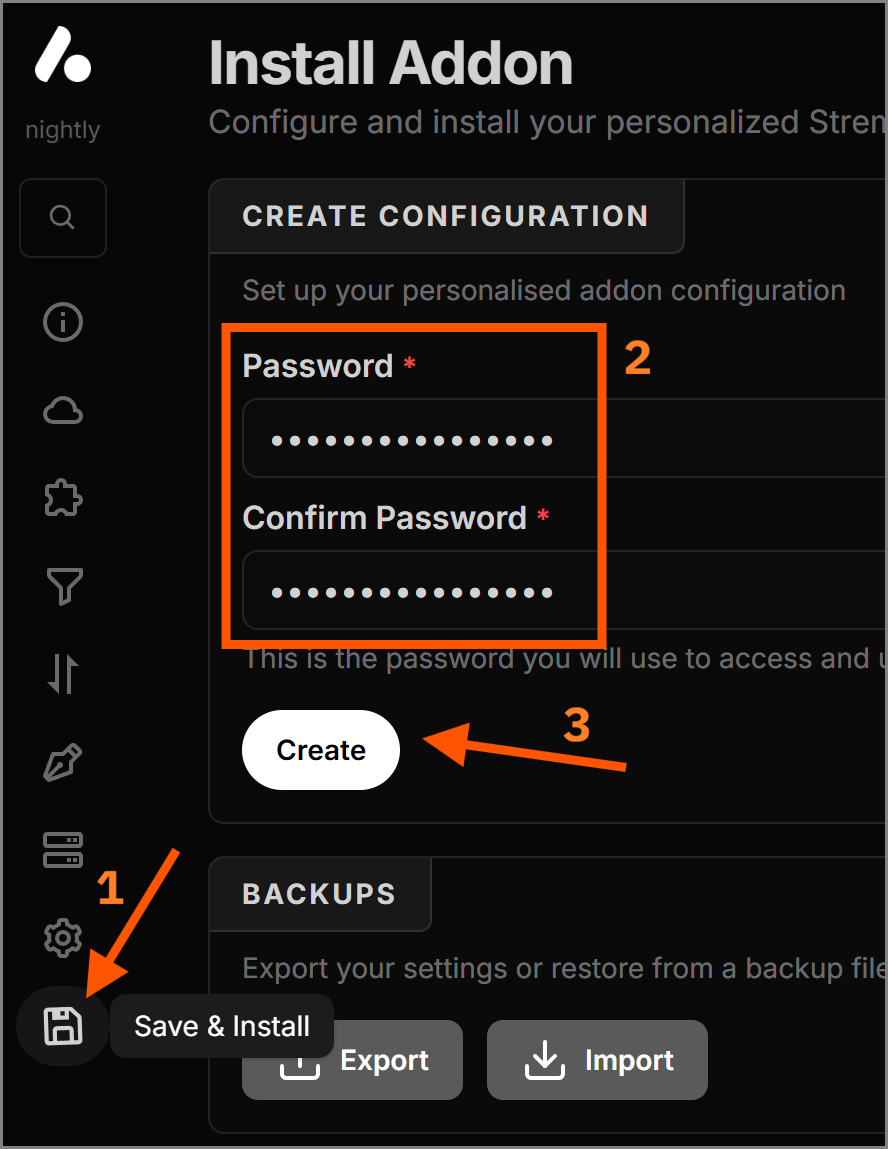
Before clicking install, you must create an AIOStreams account to save the configuration. Once saved, simply click the Install button. Stremio will open automatically and prompt you to install the add-on.
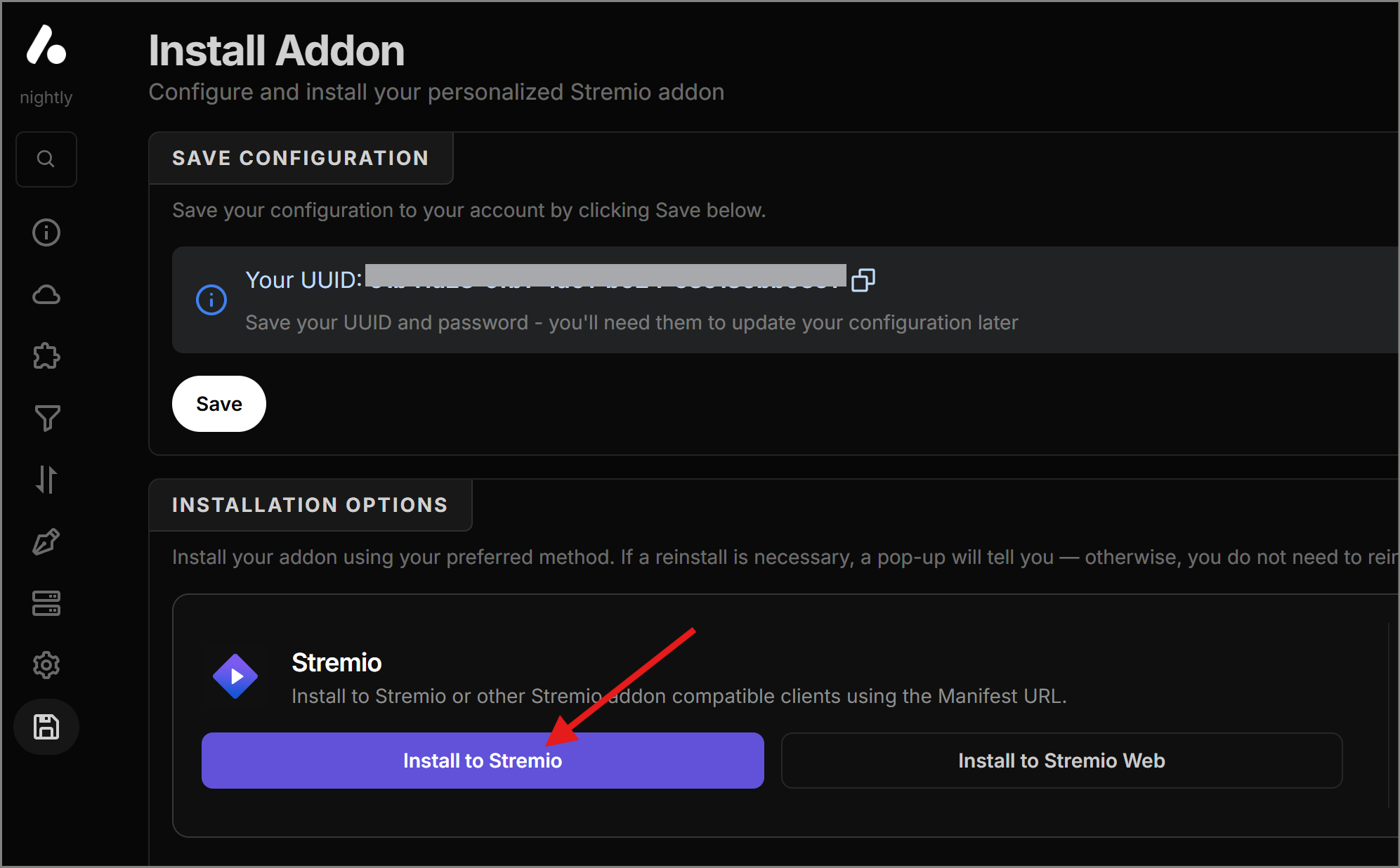
Make sure to save the password you used and the generated UUID separately.
If you don't save your credentials for the AIOStreams account, you will have to re-enter all of these settings if you ever want to make a small change later.
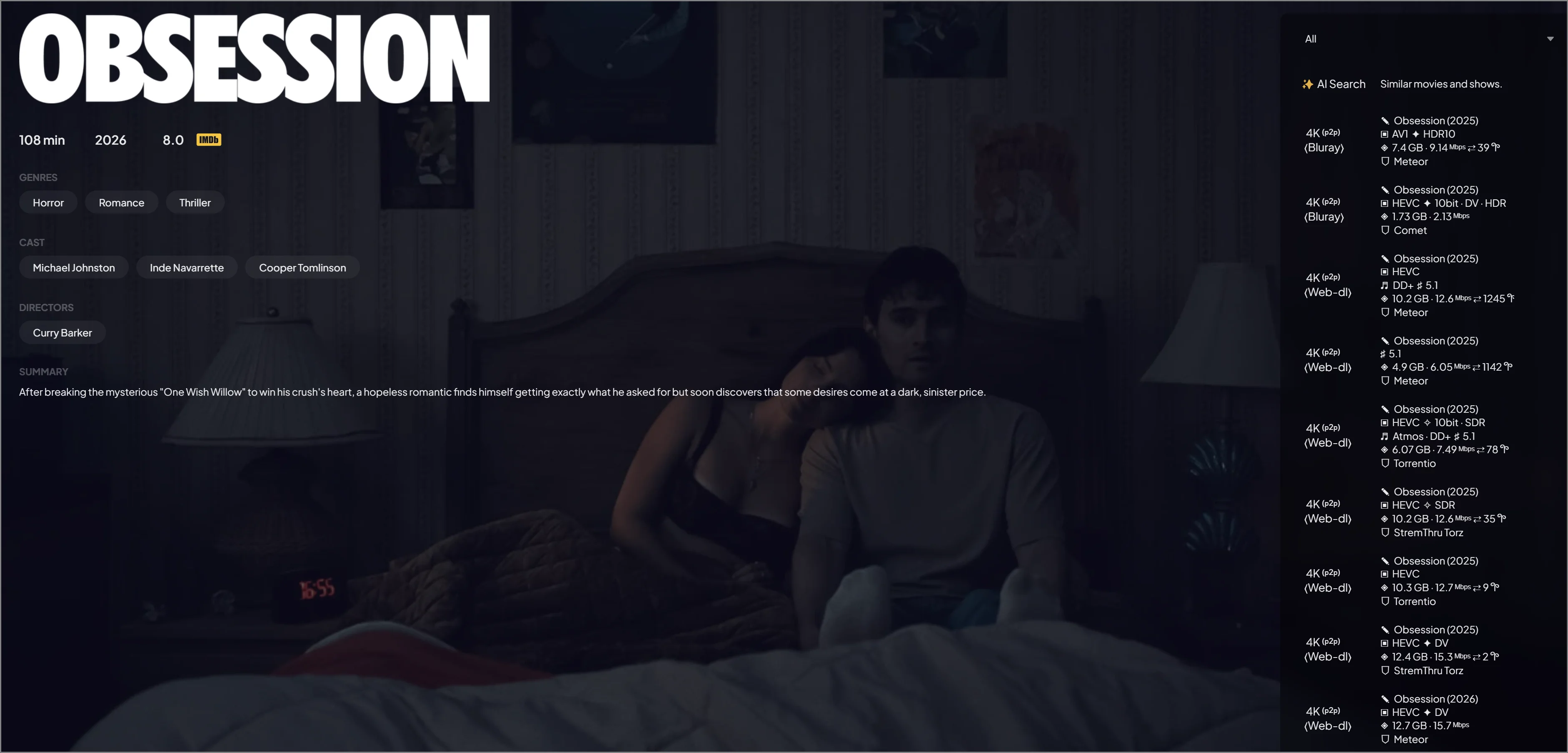
8. Final Result
Congratulations!
Your Stremio utilizes a highly-customized P2P and HTTP scraping engine. Because free streams can sometimes be unreliable, having a wide range of results ensures you will almost always find a playable, high-quality stream.
Found this guide helpful?
Maintaining this guide, configurations, and keeping track of the best add-ons takes time.
If this saved your time, consider buying me a coffee! Your support keeps this project alive and updated.
Send a Tip via Throne